Contents
 Claude
  ChatGPT
  Perplexity
  Google AI
 Contents
For the better part of a decade, data driven personalization in digital marketing has hit a plateau. It typically resembles an email subject line that reads, “Hi [First Name], we have a deal for you,” or a landing page that vaguely references your city or location.
While this was revolutionary ten years ago, today’s consumers have developed a filter for it. They know it’s just a database field merging with a template. It feels automated, not personal. In fact, research from McKinsey shows that 71% of consumers expect companies to deliver personalized interactions, and 76% get frustrated when this doesn’t happen.
But while text-based personalization has become commoditized, video has remained largely static. Creating a unique video for every customer, one that references their specific purchase history, usage statistics, or preferences, has historically been impossible due to the sheer manual labor involved. You can’t hire enough editors to cut 50,000 unique videos for a morning email campaign, and even if you could, it’s hardly practical.
Data-driven video personalization combined with a cloud video editing API changes the game. By treating video as code rather than just a visual medium, businesses can now generate millions of unique, broadcast-quality videos programmatically. It transforms video from a passive, “one-to-many” broadcast into an active, “one-to-one” conversation.
In this guide, we will break down exactly what data-driven personalization is, the mechanics of how to build it using modern infrastructure like Shotstack, and the best practices for implementing it without getting bogged down in technical debt.
TL;DR:
- Core concept: Data-driven video personalization uses programmatic tools to generate unique video assets for individual users at scale, moving beyond static text replacement.
- Technological enabler: Video editing APIs and cloud rendering platforms like Shotstack allow for the automation of video creation, turning data points (CRM, user logs) into visual narratives.
- Primary benefit: Increases engagement and conversion by transforming generic content into hyper-relevant, 1:1 user experiences.
- Implementation: Requires mapping data sources to dynamic video templates via code.
What is data driven personalization?
Data driven personalization is the practice of using data sets, such as user demographics, behavioral history, or real-time context, to dictate the content a user sees.
Until recently, this definition has been limited to two dimensions:
- Text: Swapping strings (e.g., “Hello [Name]”).
- Layout: Toggling visibility (e.g., “Show [Section A] if User is Premium”).
However, the modern definition is expanding. As bandwidth increases and attention spans decrease, the most effective personalization is moving into rich media.
The evolution: What is data driven video personalization?
Data driven video personalization is the process of using data sets to dictate the visual and audio elements of a video file automatically.
It is not a human editor opening a project file, changing a title, and hitting render. Instead, it is a system where a video template acts as a skeleton, and data acts as the muscle and skin that brings it to life. When the data changes, the video changes, without human intervention.
To understand the power of video personalization at scale, it helps to view a video file not as a single flattened movie, but as a stack of dynamic layers, all of which can be manipulated by your data:
The text layer
This is the most recognizable form of personalization. It involves dynamically inserting text strings into the video.
- Basic: Swapping “Hello User” for “Hello Sarah.”
- Advanced: displaying complex, calculated metrics, such as “You saved $450.50 this year on car insurance,” or “You watched 14,000 minutes of Jazz this year.”
The asset layer
This is where personalization becomes truly immersive. You can swap out images, video clips, and graphics based on user segmentation or preferences.
- Example: An airline sending a post-booking confirmation video.
- If Destination = “Aspen”: The background video loops snowy mountains.
- If Destination = “Hawaii”: The background video loops a sunny beach.
- Result: The viewer feels the content was crafted specifically for their trip, even though both videos came from the same master template.
The audio layer
Data can even drive the soundscape of your video.
- Voiceover: Using Text-to-Speech (TTS) engines to speak the user’s name or specific account details.
- Soundtrack: Changing the background music to match the energy of the user’s data (e.g., high-energy rock for a user who hit a fitness PR, vs. calm lo-fi for a meditation app summary).
Why it matters
The difference between a generic video and a data-driven one is relevance. A generic video asks the user to do the work of figuring out, “Does this apply to me?” A data-driven video answers that question immediately.
When a user sees their own name, their own stats, or products they were interested in rendered into a high-quality video, the barrier between the brand and the customer dissolves. It stops being marketing and starts being a more personalized service.
How does a data driven personalization platform work?
The process behind data driven personalization is logical and structured. It relies on a “render engine” architecture that separates the creative design from the content itself.
For developers and product managers looking to build a data driven personalization platform or feature, the workflow typically follows three distinct steps.
Step 1: the data source (the “trigger”)
Every personalized video starts with a dataset. This data usually sits in your CRM, a CSV file, or a user database.
- Structured data: Clean data is essential. You need specific fields, like
First_Name,Purchase_History, orUsage_Stats, mapped clearly. - The trigger: You decide when the video is generated. Is it real-time (triggered by a user clicking “Get my report”) or batched (triggered by a weekly scheduled cron job)?
Step 2: the logic layer
This is where you define the rules for your narrative. You aren’t just pasting names; you are building logic paths.
- If
User_Tier== “Gold”, playclip_gold_intro.mp4. - If
User_Tier== “Free”, playclip_upgrade_upsell.mp4.
This logic ensures that even though you are automating the process, the output feels bespoke to that user’s journey.
Step 3: the rendering engine
This is the technical barrier that stopped most companies in the past. You need an engine capable of taking that data and logic, compositing the layers (video, audio, text, images), and rendering a completely new MP4 file in the cloud.
Attempting to do this with desktop software (like After Effects) is unscalable. You cannot have a human hit “render” 10,000 times. You need a cloud-based API solution.
Implementing data driven video personalization with Shotstack
This is where Shotstack shifts the paradigm. Shotstack provides the cloud infrastructure to turn video into a programmable object, allowing you to build data driven personalized video narratives at massive scale.
Instead of manual editing, you interact with video through code.
The “template as code” approach
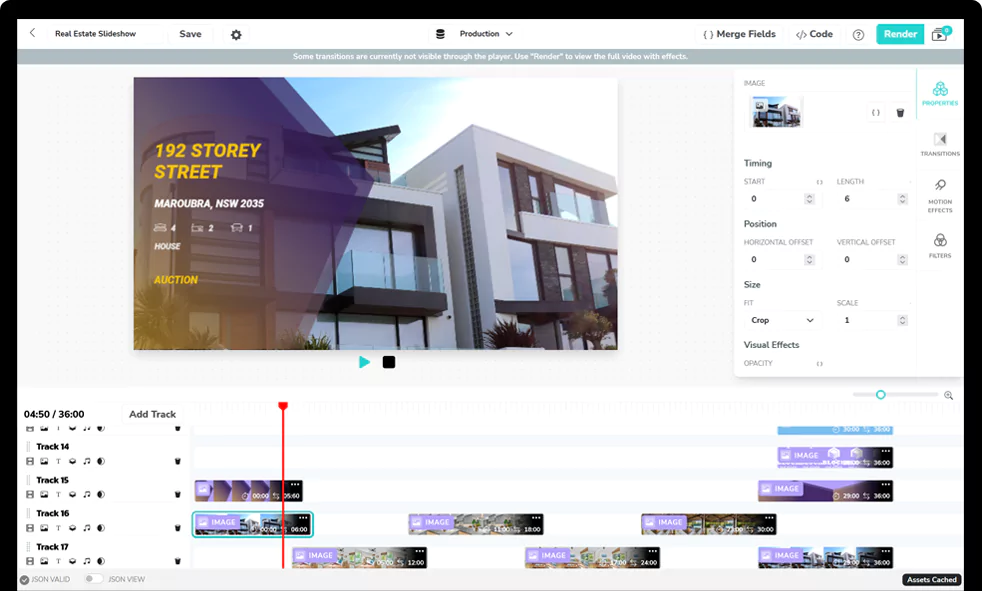
With Shotstack, you don’t save a project file; you define a template using JSON. This template describes the structure of your video—where the text goes, what duration the clips are, and what audio plays.
Because the template is code, every element is a variable.
Programmatic generation via API
Once your template is defined, generating a video is as simple as sending a POST request to the Shotstack API with the user’s specific data.
A simple example: Imagine you are an eCommerce brand sending a post-purchase “thank you” video. You simply send the customer’s name and the image URL of the product they bought:
{
    "timeline": {
        "clips": [
            {
                "type": "title",
                "text": "Thanks for buying, {{FIRST_NAME}}!"
            },
            {
                "type": "image",
                "src": "{{PRODUCT_IMAGE_URL}}"
            }
        ]
    }
}
Shotstack’s render engine receives this, swaps {{FIRST_NAME}} with “Sarah” and {{PRODUCT_IMAGE_URL}} with the picture of the shoes she bought, renders the video in the cloud, and returns a URL.
Check out our guide on rendering 1000 personalized videos in under 30 seconds using the Shotstack API.
Scale and speed
The true power of a data driven personalization solution like Shotstack is concurrency. Whether you need to generate one video for a user who just signed up or 100,000 videos for an end-of-year marketing campaign, the API handles the load. This eliminates the “render bottleneck,” allowing you to treat video as a dynamic asset just like an HTML email or a web page.
👉 Sign up today and start building your automated video pipeline.
Examples: Data driven personalization in action
When we talk about data driven personalization, most marketers immediately think of email subject lines or product recommendation widgets. However, the most impactful applications today are happening in rich media.
Here is how forward-thinking brands are applying data driven personalization strategies to video:
1. eCommerce: post-purchase engagement
Data driven personalization for ecommerce is often limited to “customers who bought this also bought that.” Video takes it further by turning a transaction into a relationship.
- The concept: Immediately after a customer buys a high-value item (e.g., a DSLR camera), generate a video that shows their specific model, using their name, with a tutorial on how to set it up.
- The data used:
First Name,Product Image,Product Model Name,Tutorial Video Clip ID. - Why it works: It reduces buyer’s remorse and support tickets while increasing brand affinity.
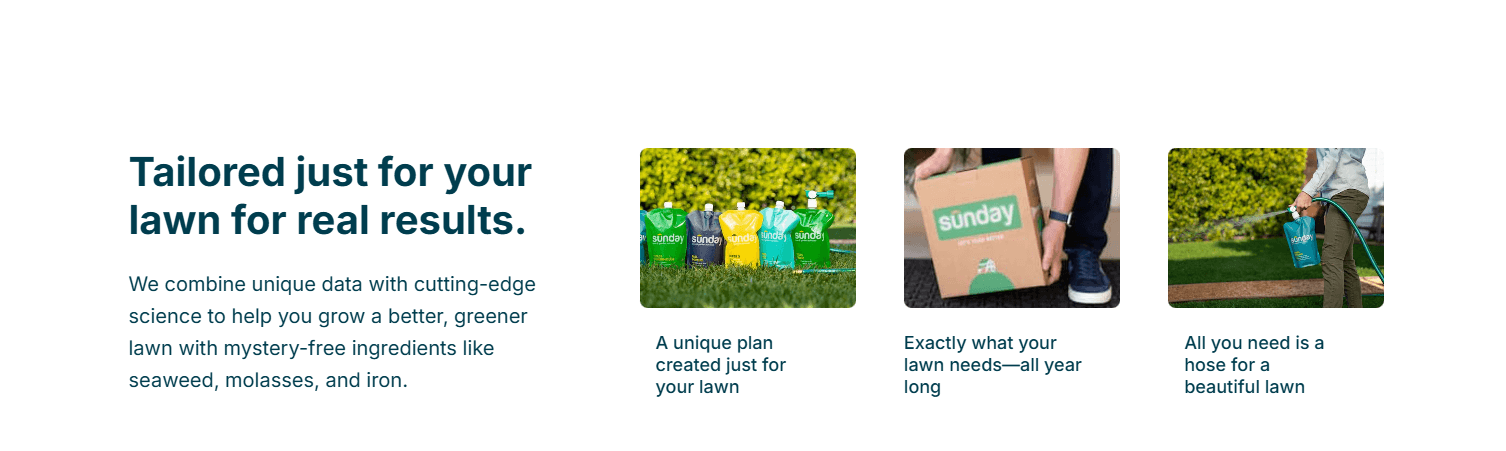
- Case study: Sunday (Lawn Care). When a customer subscribes, Sunday uses their home address and satellite data to analyze their specific soil and climate. They provide a customized “Smart Lawn Plan” that feels tailored specifically to that user’s patch of grass, increasing confidence and retention.
2. FinTech: the “year in review”
Spotify Wrapped made this famous, but it is now a standard expectation for data-heavy apps.
- The concept: A banking app generates a 30-second summary of the user’s spending habits.
- The data used:
Total Spent,Top Category(e.g., Dining),Savings Growth %. - Why it works: It turns dry spreadsheets into shareable social content, driving viral growth for the app.
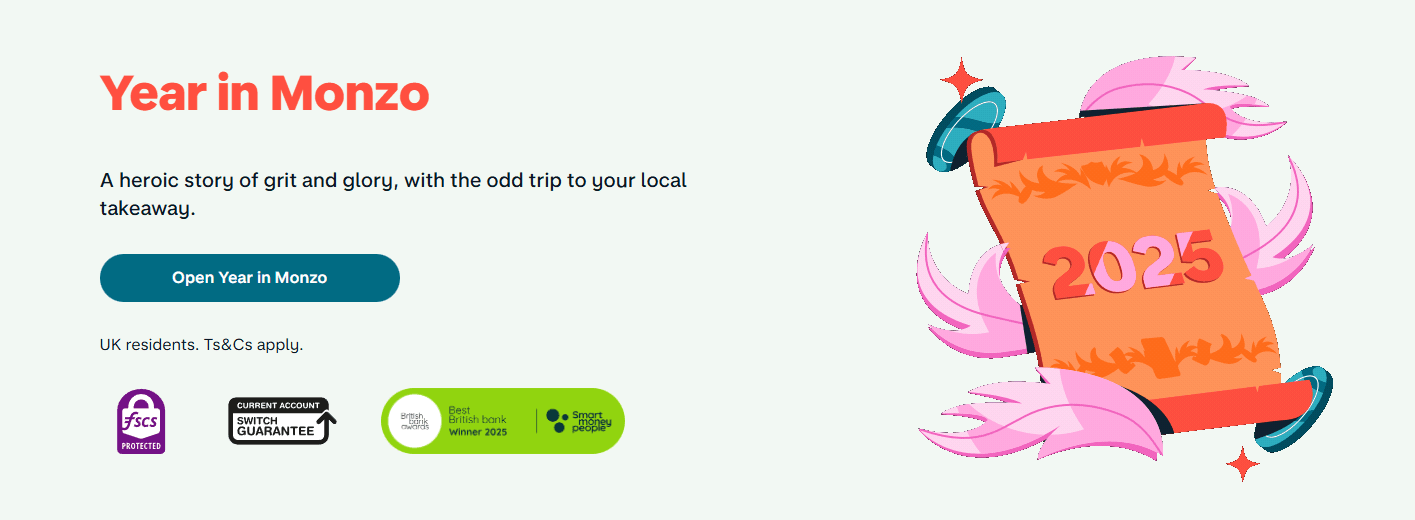
- Case study: Monzo (Year in Monzo). Since 2023, Monzo has generated highly shareable annual recap videos. They categorize users into “eras” based on their spending (e.g., “The Late Night Snacker”) and visualize data points like “top merchant” and “total savings,” turning financial data into a social flex.
3. Email marketing: skyrocketing click-throughs
One of the most effective distribution channels is data driven personalization in email marketing. Since you can’t embed a full video directly in most email clients, you use a personalized GIF.
- The concept: The email contains a GIF of the video that clearly shows the user’s name or company logo in motion. When they click the GIF, they are taken to a landing page to watch the full HD video.
- The data used:
First Name(rendered onto the GIF thumbnail). - Why it works: Seeing their own name in the thumbnail creates a “pattern interrupt.” According to HubSpot, personalized Calls-to-Action (CTAs) convert 202% better than default versions, proving that users are hard-wired to notice content that refers to them.
- Case study: Salesloft. Using video platforms like Vidyard, Salesloft allows reps to send emails with a GIF thumbnail showing the rep holding a whiteboard with the prospect’s name written on it. This “hyper-personalization” at scale has been shown to increase response rates by up to 26% compared to text-only emails.
4. Customer success and onboarding
This is a prime area for data driven personalization solutions. Instead of sending a generic “welcome” PDF, SaaS platforms can generate a walkthrough video.
- The concept: A project management tool creates a welcome video that shows the user’s actual dashboard, populated with their team members’ names and avatars.
- The data used:
Company Name,Team Member Profile Pics, andPlan Type. - Why it works: It visualizes value immediately, leading to higher activation rates.
- Case study: Orangetheory Fitness. To reduce churn, Orangetheory sends personalized “year in review” videos to members. The videos pull data from the user’s heart rate monitors (calories burned, “splat points” earned, miles run) to visually prove the value of the membership and encourage renewal.
3 best practices for data driven personalization
Implementing a data driven personalization platform requires more than just raw compute power; it requires a strategy that respects the user and the infrastructure. If you are building this capability, adhere to these core principles:
Clean your data first
The biggest failure point in data driven personalization is “dirty” data. Salesforce reports that while data volume is growing, 33% of business leaders cite the inability to generate insights from data as a top challenge.
- The risk: If your database has a user’s name as “UNKNOWN” or “NULL”, and your video renders “Hi, NULL!”, you have done more damage than good.
- The fix: Always implement “fallbacks” in your code.
- Bad logic:
Text = "Hi " + First_Name - Good logic:
If First_Name is valid, Text = "Hi " + First_Name. Else, Text = "Hi there!"
- Bad logic:
Design for variability
When designing a static video, you have total control over every pixel. In data driven video personalization, you lose that control. You don’t know if the user’s name is “Al” (2 characters) or “Christopher-James” (17 characters).
- The risk: If you design your template using a fixed font size for an average name, long names will run off the screen or overlap with other elements, ruining the professional look.
- The fix: Use “bounding boxes” and dynamic scaling.
- Text: Instead of setting a fixed font size (e.g., 100px), define a maximum text area. Configure your rendering engine to “shrink-to-fit” text that exceeds this width.
- Images: Users upload photos in all shapes and sizes. Never display raw user images. Always apply a “center-crop” or “cover” rule to ensure their vertical selfie fits your horizontal video frame without leaving empty black bars.
Focus on the “peak-end” rule
Psychology tells us people remember the peak of an experience and the end. Don’t waste resources personalizing every second of a 2-minute video.
- The strategy: Focus your personalization efforts on the first 5 seconds (to hook them) and the call-to-action (to convert them).
3 data driven video personalization pitfalls to avoid
While data driven video personalization is powerful, it is easy to get wrong. Here are the most common traps to watch out for:
The “creepy” factor
Just because you have the data doesn’t mean you should use it. There is a fine line between helpful and invasive.
- Avoid: Using third-party scraped data or inferring sensitive information (e.g., “We noticed you’ve been stressed lately”).
- Do: Stick to “first-party data” (data they explicitly gave you) or “zero-party data” (preferences they set). If the user didn’t give it to you, don’t put it in the video.
Over-complication
A common mistake is trying to make everything dynamic.
- The trap: Building a template where the background, music, voiceover, text, and scene order all change based on 50 different variables. This makes quality assurance (QA) impossible.
- The fix: Start simple. Personalize one high-impact element (like the text overlay or the primary image). Once that works, add complexity.
Ignoring mobile aspect ratios
Most personalized videos are consumed on mobile devices (via email or social apps).
- The mistake: Rendering everything in 16:9 (widescreen).
- The fix: Ensure your data driven personalization solution can generate multiple aspect ratios (9:16 vertical and 1:1 square) from the same data set, ensuring the video looks native to the device the user is holding. One template can render every aspect ratio by making the output dimensions merge fields.
The era of programmable video
The era of generic content is ending. As data driven personalization continues to evolve, the brands that win won’t be the ones sending the most emails; they will be the ones creating the most relevant connections.
We have mastered personalization in text. We have mastered it in web layout. The final frontier is video.
For a long time, video was a “black box”—a static file that couldn’t be touched once it was rendered. But with the rise of cloud-based APIs, video has become just another programmable asset in your stack. It is no longer about hiring more editors; it is about writing better code.
If you are ready to move beyond “Hi [Name]” and start building dynamic, data driven video personalization at scale, the infrastructure is ready for you at Shotstack.
Ready to build?
Shotstack is the cloud video editing API that developers use to build data driven personalization solutions. From real-time rendering to massive batch campaigns, Shotstack turns your data into video, instantly.
Get your free API key and start building the future of video today.
Get started with Shotstack's video editing API in two steps:
- Sign up for free to get your API key.
- Send an API request to create your video:
curl --request POST 'https://api.shotstack.io/v1/render' \
--header 'x-api-key: YOUR_API_KEY' \
--data-raw '{
  "timeline": {
    "tracks": [
      {
        "clips": [
          {
            "asset": {
              "type": "video",
              "src": "https://shotstack-assets.s3.amazonaws.com/footage/beach-overhead.mp4"
            },
            "start": 0,
            "length": "auto"
          }
        ]
      }
    ]
  },
  "output": {
    "format": "mp4",
    "size": {
      "width": 1280,
      "height": 720
    }
  }
}'

Published December 16, 2025
Peace Aisosa is a Customer Success Specialist at Shotstack. She writes about video automation when she's not troubleshooting customers' video pipelines. More from Peace
Experience Shotstack for yourself.
- Seamless integration
- Dependable high-volume scaling
- Blazing fast rendering
- Save thousands