Video is undeniably one of the most effective ways for businesses to capture customer attention and boost engagement. It’s no surprise that roughly 89% of businesses use video as a core part of their marketing strategy.
But there is a major roadblock to global scaling: the language barrier. When your audience spans different regions and cultures, relying on a single language simply doesn’t cut it. You need to create localized video versions so everyone can genuinely connect with your message.
Video localization means adapting a video so that viewers in another language can understand and resonate with it. It’s not just about translating on-screen text and swapping out voiceovers; it requires adjusting visuals and keeping cultural context top of mind.
Doing this manually is painfully slow and expensive. Fortunately, there is a way to automate the heavy lifting and generate hundreds of localized videos in a fraction of the time. This guide covers the common pitfalls of manual video localization and reveals a cost-effective approach to localizing video at scale.
TL;DR
Video localization is essential for global reach, but manual editing breaks down when you need hundreds of variations. With an API-driven tool like Shotstack, you can automate this process entirely. By defining a base video template with placeholders (like {{NAME}} or {{image_url}}), you can use simple code to generate hundreds of localized videos in minutes.
Why Video Localization Matters
From quick social media reels to in-depth product demos, video is the preferred content format for today’s consumers. Studies consistently show that customers prefer short videos over text‑based content when learning about a new product or service. However, those same customers will scroll right past if the content isn’t in their native language.
- The Global Expectation: According to research from RWS, over 80% of consumers say they won’t buy from a brand that doesn’t offer support in their preferred language.
- The Engagement Boost: If brands want to attract a truly global audience, they must localize their content. Companies that invest in video localization routinely see a massive spike in user engagement and conversion rates.
Localized videos impact purchasing decisions far more than most marketers realize.
The Challenges of Manual Localization (And How to Solve Them)
Localized videos have clear benefits, but creating them manually has its challenges. Here are the key challenges in video and audio localization:
Time-Consuming Manual Processes
Translating scripts, creating subtitles, and recording voiceovers in several languages, and then re‑rendering videos can easily take weeks.
Inconsistent Branding
Manual edits in different languages usually result in visual or tonal inconsistencies. For instance, subtitles don’t fit properly on screen, voice-over timing is off, or the tone doesn’t match the original emotional impact or style of the video. One mismatched subtitle or unsynced audio can make your video feel off.
Scaling and Cost Issues
Manual video localization gets way harder and more expensive as you try to scale it. Traditional workflows involve translating scripts, recording voiceovers in each language, creating and syncing subtitles, and re‑editing the video for every new version.
With this process, you might be looking at weeks of work and hundreds to thousands of dollars just to localize one video in only five languages
Cultural Relevance
Around 88% of customers in a study said showing cultural insight is important for global brands. This confirms audio and video localization isn’t only about translation. Adapting your video to reflect cultural relevance is important to make it feel natural and meaningful to viewers.
So, how to solve these issues? Here are some practical solutions:
Automate video creation. Tools like Shotstack let you generate multiple localized versions automatically using templates and code, which means you can swap text, images, audio, and video clips programmatically. This saves time and cuts costs dramatically.
Use templates and centralized style guides to ensure consistent visuals, text, and tone across all languages.
If you use a platform like Shotstack that supports dynamic content replacement, you can easily include and swap culturally relevant visuals, text, and audio in your video.
Best Practices for Translating Video Content for Global Audiences
To ensure your localized video campaigns hit the mark, follow these best practices:
- Write an adaptable base script: Avoid highly specific local jokes, regional slang, or complex idioms that are difficult to translate or could inadvertently offend other cultures.
- Localize, don’t just translate: Modify visual elements to match the region. Ensure that the humor, tone, and pacing are appropriate for the target culture.
- Use professional translators: Don’t rely solely on machine translation. If your budget allows, use native speakers to capture the nuance of the language.
- Build modular content: Split your video into sections (intro, main content, call-to-action). When your video is modular, you can easily swap out specific parts without rebuilding the entire sequence.
- Lock in brand consistency: Use automated templates to ensure your color palettes, fonts, and logos remain identical across all regional variations.
How to Localize Video at Scale (The Shotstack Approach)
Manual methods aren’t efficient when you’re creating localized videos at scale. A manual workflow mostly looks like this:
- Create an original video using a tool like Adobe Premiere
- Export and send to translators
- Wait for translated scripts
- Hire voiceover artists for each language
- Recreate the video in editing software for each language
- Replace text, swap audio, adjust timing
- Render and export each version separately
- Repeat for every language and every video update
This may work for one or two videos in a couple of languages. But what if you have a product catalog with hundreds of SKUs that need videos in ten languages? Manual video localization services would take months, and the costs involved would be monumental.
How Shotstack Automates Video Localization Through Code
Instead of getting bogged down in manual timelines, Shotstack lets you automate the entire localization process programmatically. By leveraging a cloud-based rendering API, you shift from manual editing to data-driven video generation.
Here is exactly how the automated workflow operates:
- Design a Single Base Template: You build your core video layout just once. This acts as the master blueprint for your pacing, transitions, and branding.
- Insert Dynamic Placeholders: Instead of hard-coding text or audio, you leave variables for the elements that will change between regions. For example, you might use placeholders like
{{pricing_text}}or{{voiceover_url}}. - Connect Your Data Source: You map your translated assets to those placeholders. This can be done by feeding a simple spreadsheet, a CRM database, or a JSON payload directly into the Shotstack API.
- Render at Scale in Minutes: Once the data is sent, the API does the heavy lifting. Shotstack automatically swaps the placeholders with your regional assets and renders every single localized version simultaneously in the cloud.
Here is a simplified look at how this works in code:
When you send an API request to Shotstack, you simply pass your localized text and audio files into the merge fields. The API finds your placeholders and replaces them instantly:
{
  "timeline": {
    "tracks": [
      {
        "clips": [
          {
            "asset": {
              "type": "text",
              "text": "{{pricing_text}}"
            },
            "start": 0,
            "length": 5
          },
          {
            "asset": {
              "type": "audio",
              "src": "{{voiceover_url}}"
            },
            "start": 0,
            "length": 5
          }
        ]
      }
    ]
  },
  "merge": [
    {
      "find": "pricing_text",
      "replace": "Solo 19,99 €"
    },
    {
      "find": "voiceover_url",
      "replace": "https://example.com/audio/spanish_vo.mp3"
    }
  ]
}
By automating this workflow, an e-commerce brand can take a single product video, connect it to a database of 10 different languages, and instantly generate 10 perfectly localized videos—all without ever opening traditional editing software.
👉 You might also be interested in our comprehensive data-driven personalization guide.
Video Localization Services vs. APIs
The table below shows when to use video localization services vs. an API like Shotstack:
| Aspect | Full‑Service Localization Agency | API like Shotstack |
|---|---|---|
| Best for | High-budget campaigns | Large-scale automation |
| Cost and scalability | Costly to scale | Pay-per-use, scalable |
| Speed | Requires weeks per language | Takes a few minutes per video batch |
| Customization | High-touch, creative | Template-based, data-driven |
| Use cases | TV commercials, brand storytelling, films | Product demos, e-commerce catalogs, rapid updates, dynamic ads, social media content |
The Future of Localized Video is Automated
Video localization isn’t optional anymore. If you want to connect with your global audience, you must localize the video into their native language. But manual processes are slow and expensive. With programmatic tools like Shotstack, businesses can easily automate localization, scale content globally, and maintain brand consistency.
Don’t edit manually. Build your automated video localization workflow with Shotstack today.
FAQs
What is video localization?
Video localization is the process of adapting a video to different languages and regions so it resonates with global audiences. It goes beyond mere translation; it involves adjusting on-screen text, voiceovers, visuals, and cultural references so the content feels completely natural to a local viewer.
Why is localized video important?
Consumers overwhelmingly prefer to buy from brands that communicate in their native language. Localizing your videos dramatically increases audience engagement, builds brand trust, and directly impacts global conversion rates.
Can you automate video localization?
Yes. By using an API-driven tool like Shotstack, you can automatically generate dozens or hundreds of localized video variations programmatically. You simply create a base template and use code to swap out the language-specific assets.
How does automated video localization work?
It works by using JSON or code to send instructions to a rendering API. You provide a master template with placeholders, and the API automatically swaps in the translated text, regional audio files, and specific visuals, rendering a final video for each language instantly.
Is programmatic localization viable for small businesses?
Absolutely. Because APIs like Shotstack operate on a pay-per-use model, they scale perfectly with your needs. This makes automated localization incredibly cost-effective, allowing smaller teams to execute global campaigns that used to require massive agency budgets.
Get started with Shotstack's video editing API in two steps:
- Sign up for free to get your API key.
- Send an API request to create your video:
curl --request POST 'https://api.shotstack.io/v1/render' \
--header 'x-api-key: YOUR_API_KEY' \
--data-raw '{
  "timeline": {
    "tracks": [
      {
        "clips": [
          {
            "asset": {
              "type": "video",
              "src": "https://shotstack-assets.s3.amazonaws.com/footage/beach-overhead.mp4"
            },
            "start": 0,
            "length": "auto"
          }
        ]
      }
    ]
  },
  "output": {
    "format": "mp4",
    "size": {
      "width": 1280,
      "height": 720
    }
  }
}'

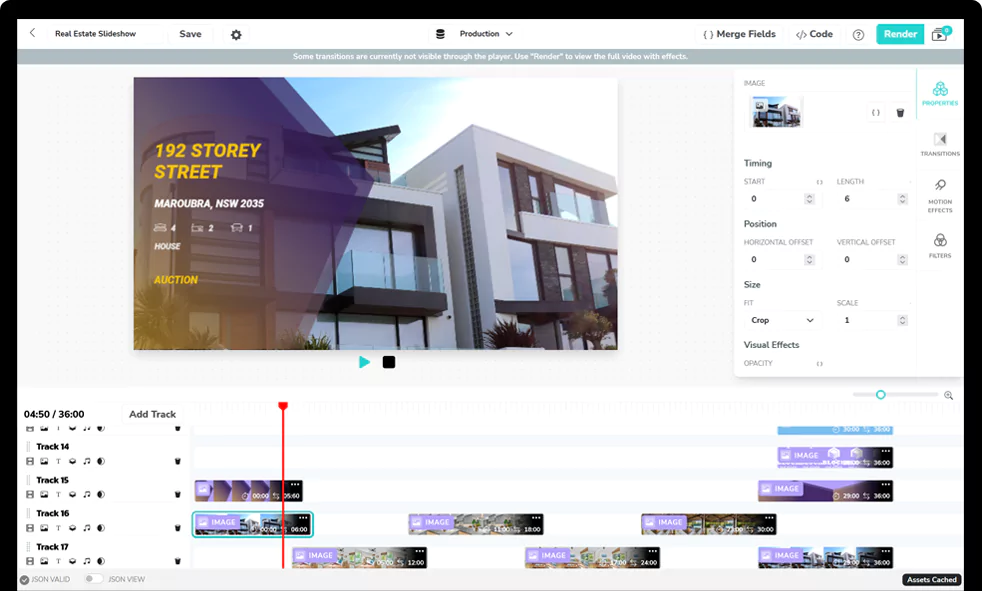
Experience Shotstack for yourself.
- Seamless integration
- Dependable high-volume scaling
- Blazing fast rendering
- Save thousands