Fully autonomous video pipelines that scale
Agentic Video Editing
Give your AI agent a render_video tool. It handles the logic; Shotstack takes care of the encoding, compositing, and delivery.
Start for Free
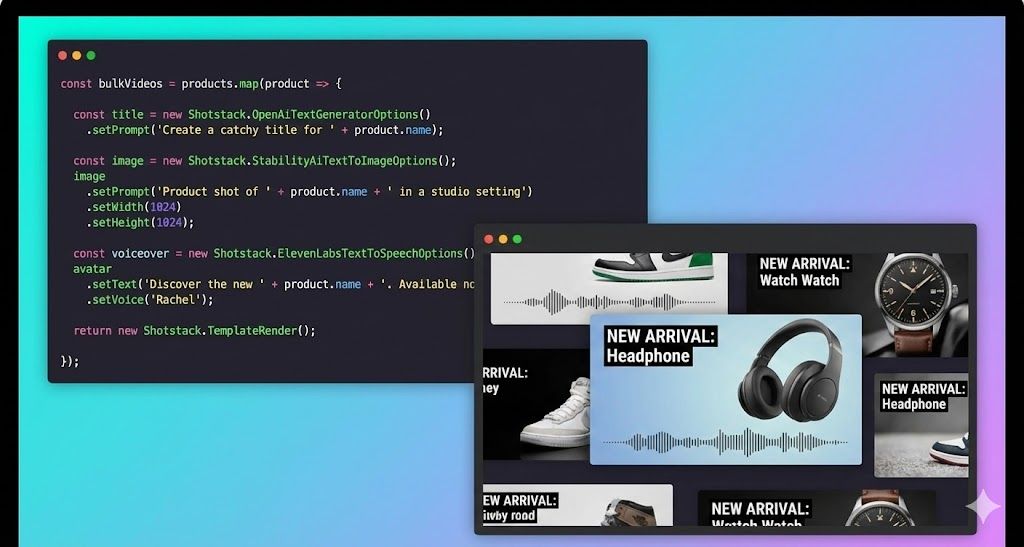
Give your AI agent a render_video tool. It handles the logic; Shotstack takes care of the encoding, compositing, and delivery.
Start for FreeOver 20,000 Businesses & Developers from 119 Countries Trust Shotstack






Tools like Sora, Runway, and HeyGen look like the answer until you try to build with them. The output is non-deterministic; run the same prompt twice, get two different videos. There's no template system, no way to guarantee a specific product image appears in a specific position, and no clean API path to production. They're built for creative exploration, not automated pipelines.
So developers reach for FFmpeg. And then spend weeks wiring up encoding servers, managing GPU infrastructure, debugging frame-timing issues, and building a queue system for concurrent renders — before writing a single line of agent logic.
The actual problem isn't finding an AI that understands video. It's having a reliable, scalable renderer your agent can call.

It would have a ton of research on what technologies we needed to leverage technically to achieve the desired outcome. This would have taken at least two months of engineering time for a simple use case, and up to 6 months if the scope widened.
Your agent figures out what to render and constructs the payload. Shotstack takes that payload and produces the video — deterministically and at any scale. The output is reproducible, the API is stateless, and there's no rendering infrastructure for you to manage.
Define a render_video tool via JSON schema. Whether you use OpenAI, Anthropic, or OpenClaw, your agent can now programmatically populate video templates, adjust timelines, and trigger renders.
Your agent calls ElevenLabs for voiceover, DALL-E for background images, and pulls music from a URL. Shotstack takes whatever those tools return and assembles it into a finished video. That means you or you AI agent chooses the tools that produce the best output for your use case, and Shotstack handles the final composition.

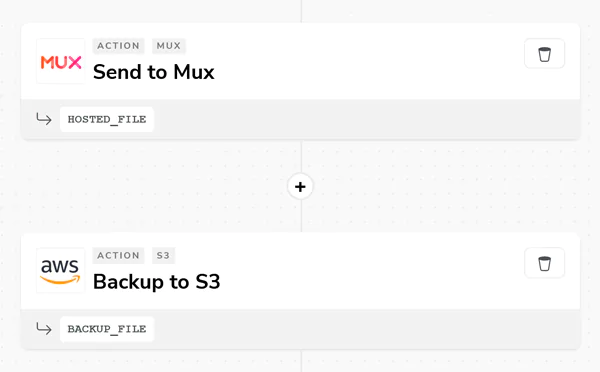
Every render returns a URL. By default that's Shotstack's CDN (available immediately, no upload step required). For production pipelines, configure a destination and Shotstack pushes the rendered file directly to your S3 bucket or Cloud Storage. Your agent gets the URL back and can pass it to the user, store it in a database, or trigger the next step in the workflow.

This application is the perfect example of a well executed and documented API. In less than 10 mins, set up, web hook done, and first render!
There are a couple of other options out there that attempt to provide the same or similar solution, but none of them come close in terms of quality, ease of use, and speed.
Shotstack was EXACTLY what I was looking for, and incredibly easy to get started with. You guys are killing it.
A pipeline where an AI agent receives a goal (from a user message, a database event, or an API trigger) and autonomously plans and executes the steps required to produce a finished video. The agent uses an LLM for reasoning and decision-making, and calls external tools to act on those decisions. A rendering API like Shotstack is one of those tools; it handles the actual video output. No human in the loop between input and video URL.
Most renders complete in 20–60 seconds depending on timeline complexity, asset count, and output resolution. Rendering is asynchronous — you submit the job and either poll the status endpoint or receive a webhook notification when it's done. Your agent doesn't need to block waiting for the result.
Shotstack renders to MP4 and GIF. For resolution, you can specify standard presets (1080p, 720p, 480p) or set custom dimensions — useful for platform-specific outputs like square video for Instagram or vertical for TikTok and Reels. Aspect ratio, frame rate, and quality settings are all configurable in the render payload.
Shotstack has a staging environment that's free to use and requires no credit card. Renders on staging are watermarked but otherwise identical to production output. It's the right environment for developing your agent, testing payloads, and validating renders before switching to the production endpoint.
Yes. Shotstack's render farm handles thousands of concurrent jobs natively. No queue management, no infrastructure provisioning.

Learn how to build an AI video agent in Python using Claude and the Shotstack API. Full working code: tool schema, agent loop, render function, and example interactions.

Unlimited developer sandbox
No credit card required