Choosing the right video infrastructure

Building video features into your product? Shotstack provides the API-first infrastructure engineering teams need. From enterprise-grade rendering to comprehensive SDKs and white label capabilities. It is designed to help you build and scale AI video capabilities seamlessly.

While Creatomate offers a design-first approach for no-code marketing automation, it serves a different purpose.

The choice between Shotstack vs Creatomate comes down to scalability. Choose Shotstack for an infrastructure you won't outgrow featuring lower pricing, unrestricted outputs, and the reliability required for serious production.

small building blocks forming a larger coherent whole

At a glance: Creatomate vs Shotstack

Compare features and pricing to see which platform is best for you:

FeatureShotstackCreatomate
Primary Use CaseBuilding Products (SaaS, AI Agents, Apps)Marketing Ops (Social Media Automation)
Development ExperienceREST API, MCP Server, Assistant-Ready Docs, No-code IntegrationsZapier integration, REST API
Rendering SpeedHigh Performance (~10x faster)Slow
Pricing ModelSubscription & Pay-as-you-goSubscription only
Cost per minuteLowHigh
White Labeling✅ Full Video Editing Framework❌ No White Label Editor
Client-Side SDKReact & JavaScript Editing SDKPreview Iframe Only
Max Resolution4K (No extra cost)4K (Significant cost increase)
Professional Formats✅ .MOV (Alpha PreRes support)❌ MP4/Web formats only
Audio CapabilitiesPro Mixing (keyframes, effects)Basic (Volume control)
Chroma Key / Green Screen✅ Native Support❌ No Native Support
No-Code IntegrationsZapier, MakeZapier, Make
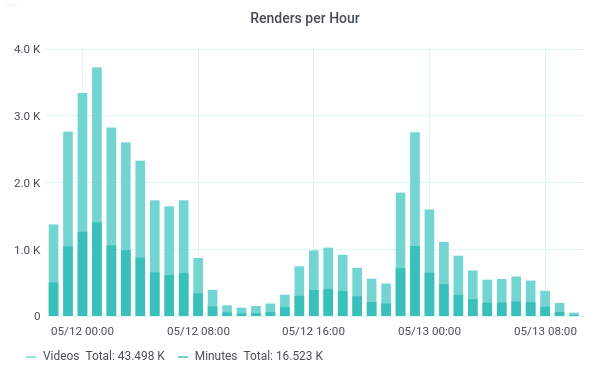
As millions of users interact with these types campaigns we were going to have to render thousands videos every minute. It quickly became apparent that this type of volume was no issue for Shotstack at all. Raúl Uranga, Grupo W for Ikea

Category-defining performance.

1.1M+

Videos rendered per month

50,000+

Developers

7x

Faster rendering speeds

Don't build your business on a marketing tool

For teams starting out with video automation, tools like Creatomate seem appealing. They offer a great Canva-like experience for generating templated social media clips.

But as your needs increase, you hit the ceiling. You encounter:

  • Computational pricing that penalizes you for rendering in 1080p or 4K
  • Rate limits that choke your workflows during viral spikes
  • No full white-label editor to embed in your own frontend
  • Limited support for heavy assets, green screen, or professional video formats

To build a scalable video operation, you need a platform that combines visual ease-of-use with industrial rendering power and modern dev tooling.

AI-driven video automation platform

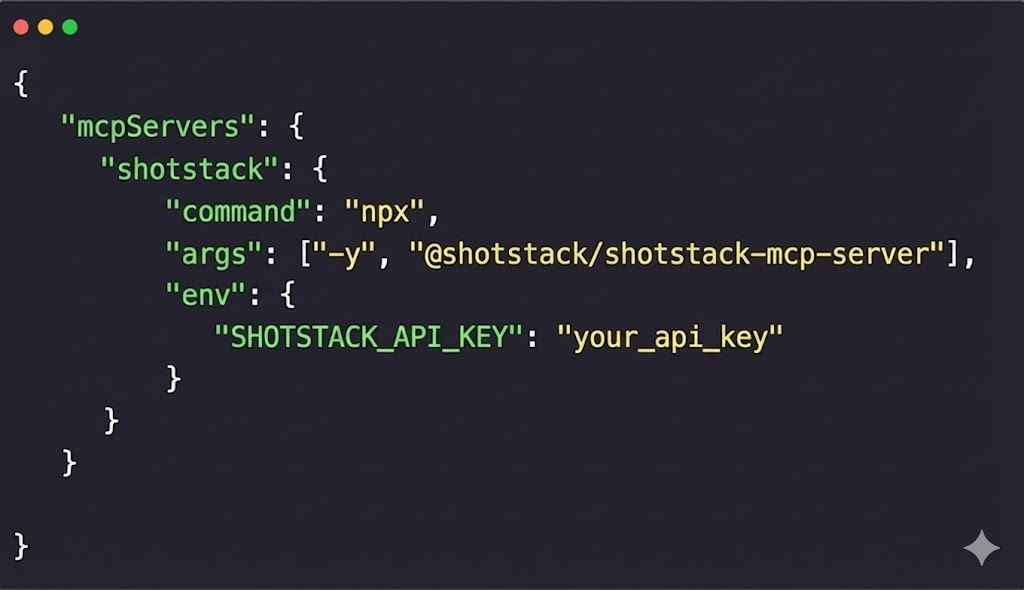
Build with LLMs & MCP

We provide a Model Context Protocol (MCP) server and documentation specifically structured for coding assistants. You can connect Shotstack to Cursor, Claude, ChatGPT, Windsurf, or Copilot and generate functional video workflows in seconds.

Why this matters: It eliminates hallucinations. Your AI assistant instantly understands valid JSON schemas, asset handling, and webhook logic, allowing you to scaffold a video processing pipeline without leaving your IDE. Your agents can access and build powerful video workflows without you having to wire up each step.

python

Integration

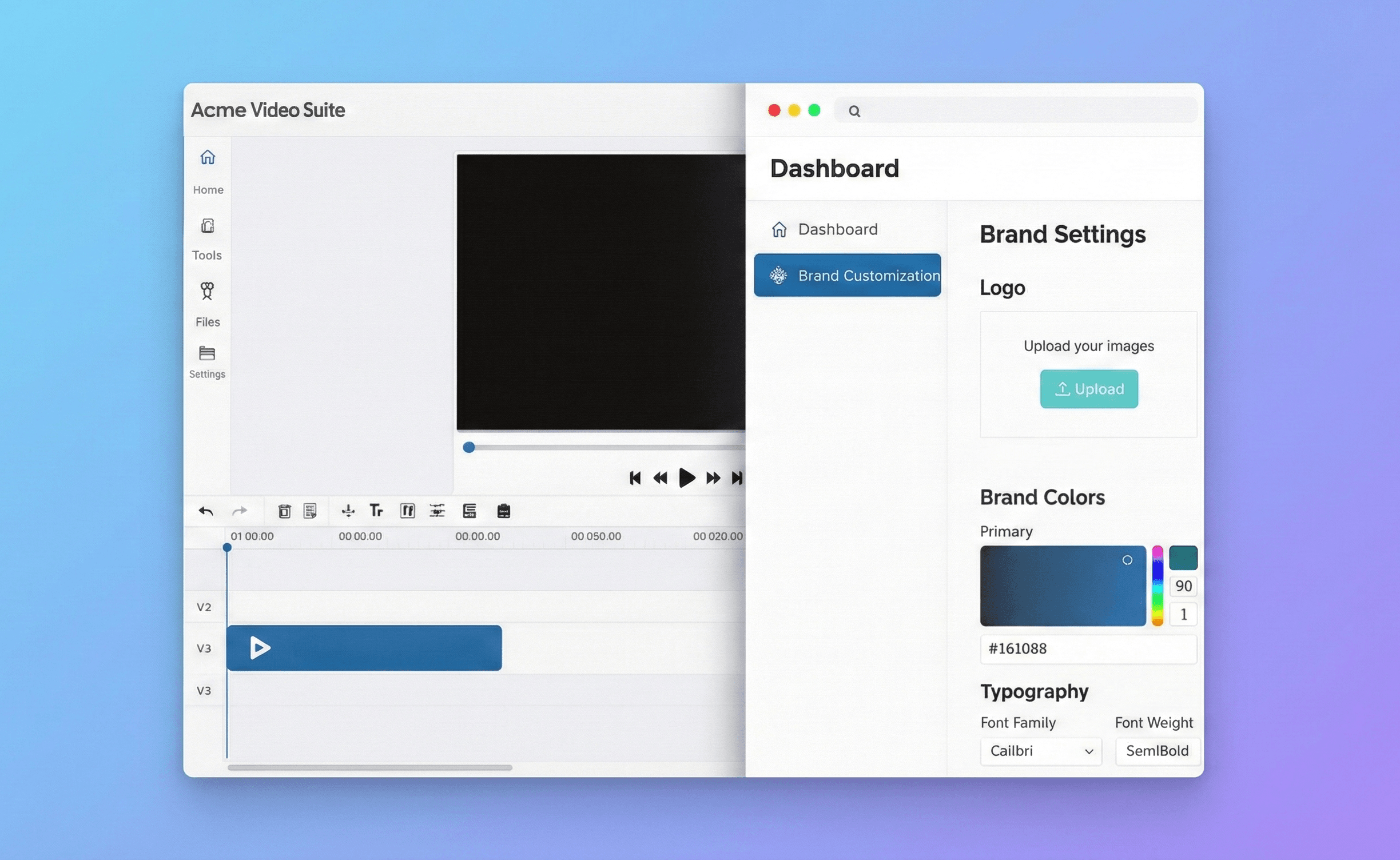
True front-end white labeling

Creatomate only provide a preview iframe. Shotstack offers a comprehensive open-source White Label Video Editor SDK.

This is a full front-end framework that lets you build a fully functional, branded video editor directly inside your software or application.

More than a preview, your end-users can interact with the video directly and make granular edits in a UI that looks and feels exactly like the rest of your product.

transitions

Professional capabilities

Heavy duty compositing

Shotstack acts as a true server-side compositing engine.

We natively handle ProRes .mov files with alpha transparency, allowing you to pipe high-fidelity After Effects exports directly into your automation pipeline without converting them first.

Add in native Chroma Key-ing and Luma Mattes, and you have an engine capable of high-end post-production tasks, not just overlaying text on an MP4.

java

Cost efficiency

Predictable pricing, 10x faster

Creatomate uses a computational pricing model, meaning higher resolution and frame rates cost significantly more.

Shotstack is different.

We are approximately 10x faster per minute of rendered video, significantly more affordable and we provide a usage-based credit model that gets more affordable with volume.

A 4K video costs the same as a 720p video. A 60fps render costs the same as 30fps.

speed

What if you're already on Creatomate?

Many teams start on a template-only tool and then outgrow it.

A typical migration path looks like:

  1. Map your highest-value templates and rebuild them in Shotstack Studio or using JSON.

  2. Point your existing automations at Shotstack’s API.

  3. Introduce in-product editing using the Studio SDK.

Reach out and get expert help with planning that migration.

Frequently asked questions

Is Shotstack a Creatomate replacement or something different?

Both can solve similar problems, but the architecture and philosophy is different:

  • Creatomate: a strong creative automation tool, especially for marketing teams.
  • Shotstack: an AI video infrastructure platform with a full template-based web editor and embeddable video editor SDK.

If you’re primarily automating campaigns, either can work but Shotstack is more economical and renders faster. If you’re building video into your product, Shotstack is the more obvious choice.

Do you support template-based web editing like Creatomate?

Yes. Shotstack includes:

  • Shotstack Studio: an in-browser editor for building and managing templates.
  • A unified JSON schema that underpins the API.
  • A white-label Studio SDK so you can embed the editor in your own UI.

You get the same “design in the browser, render via API” workflow, plus the ability to bring that experience inside your product.

Can we start with simple templates and grow into more complex logic?

That’s exactly how most teams use Shotstack:

  1. Start with a few templates built in Studio (similar to how you’d start on Creatomate).
  2. Wire them up to simple data sources via our SDKs or Zapier/Make.
  3. As requirements grow, abstract the logic into code (inject conditional scenes, loops, and dynamic layouts via JSON payloads). You get the speed of a visual template builder and the unlimited ceiling of a programmatic video editing API.

You don’t have to choose between “template-based editing” and “developer flexibility.” You get both.