Automate your Social Media

Social Media AI Video Maker

Pick a story, pick a voice, get a vertical video — in seconds.

Get Started GitHub GitHub

Platform
Story

Pick a platform, story and voice to continue

Your video will appear here

9:16 · MP4

Generating your video…

How it works

01

Choose

Pick a platform, story type and narrator voice.

02

Script

OpenAI drafts a 15-second voiceover script in the chosen tone.

03

Storyboard

Six matching image prompts feed Shotstack’s text-to-image clips.

04

Render

One API call assembles voice, captions and visuals into a 9:16 MP4.

About the Social Media AI Video Maker

This open-source demo shows how to generate faceless short-form videos for TikTok, YouTube Shorts and Instagram Reels using AI. It combines OpenAI for script and image-prompt generation with the Shotstack video editing API for rendering captions, voiceover, AI-generated imagery and transitions into a single 9:16 MP4.

Pick a content style and the AI writes a 15-second voiceover script. Six matching image prompts are sent to Shotstack’s text-to-image clips, captions are auto-generated from the voiceover, and the final video is assembled in a single API call. The same workflow can be automated to publish directly to social platforms.

Frequently asked questions (FAQs)

Yes. The demo runs on Shotstack — no credit card needed to try it. You can sign up for a free Shotstack account to access the underlying APIs and adapt the source code to your own product.

A 15-second voiceover script is generated with AI with six matching image prompts. Those prompts are merged into a Shotstack video template that produces the captions, AI-generated visuals, voiceover and final 9:16 MP4 — all from a single API call.

The demo renders 720×1280 (9:16) MP4 files which are the native format for TikTok, YouTube Shorts, Instagram Reels and Facebook Reels.

Yes. The full source is available on GitHub. You can fork it, run it locally, and adapt it for your own social media automation, faceless content pipelines or programmatic video apps.

Typically ~30 seconds end to end — a few seconds for the OpenAI calls and the rest for Shotstack to render the 30-second 9:16 video including AI image generation.

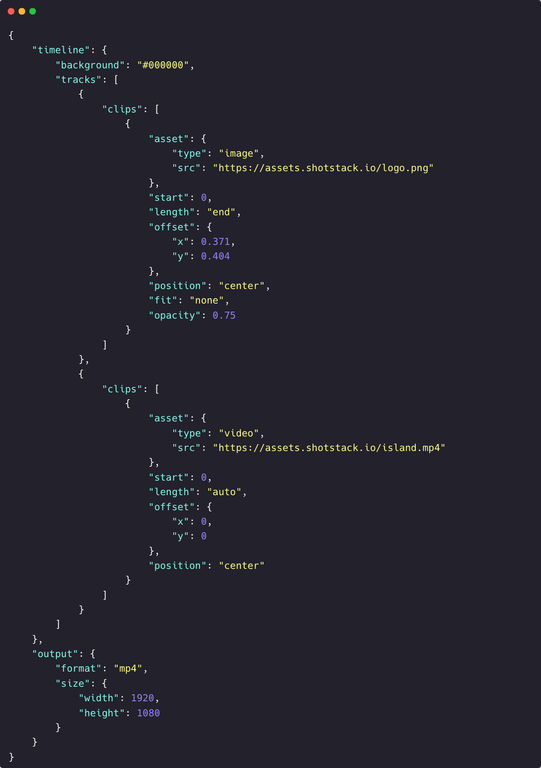
Get started with Shotstack's video editing API in two steps:

  1. Sign up for free to get your API key.
  2. Send an API request to create your video:
    curl --request POST 'https://api.shotstack.io/v1/render' \
    --header 'x-api-key: YOUR_API_KEY' \
    --data-raw '{
      "timeline": {
        "tracks": [
          {
            "clips": [
              {
                "asset": {
                  "type": "video",
                  "src": "https://shotstack-assets.s3.amazonaws.com/footage/beach-overhead.mp4"
                },
                "start": 0,
                "length": "auto"
              }
            ]
          }
        ]
      },
      "output": {
        "format": "mp4",
        "size": {
          "width": 1280,
          "height": 720
        }
      }
    }'
More to do