
Studio templates · News
Forest Fire News Alert - Urgent Breaking Template
A professionally designed news template.
No account needed until you render.
What you can change
- Heading
- MASSIVE FOREST FIRE ERUPTS
- VIDEO_1
- https://templates.shotstack.io/forest-fire-news-alert-template-urgent-breaking-news/69997a1f-c6d0-4ba9-ba94-94a24b6068e7/source.mp4
- VIDEO_2
- https://templates.shotstack.io/forest-fire-news-alert-template-urgent-breaking-news/d5e390f6-7bf6-4bdb-8218-43aceb84f5a2/source.mp4
- VIDEO_3
- https://templates.shotstack.io/forest-fire-news-alert-template-urgent-breaking-news/f7a56798-c68b-4dff-9037-0af3083058b2/source.mp4
- VIDEO_4
- https://templates.shotstack.io/forest-fire-news-alert-template-urgent-breaking-news/0b9f0aa2-e6af-4aad-a983-746383c938ce/source.mp4
- Subheading_1
- Homes destroyed
- VIDEO_5
- https://templates.shotstack.io/forest-fire-news-alert-template-urgent-breaking-news/6799872c-e5ea-4722-b1b1-d32b5a7f7476/source.mp4
- FONT_COLOR
- #000091
- SHAPE_COLOR
- #ffffff
- BACKGROUND_COLOR_2
- #000091
- Subheading_2
- in disaster
Output
- Format
- MP4
- Size
- 1920 × 1080
- Length
- 16 s
- Frame rate
- 25 fps
Make one for every story
Trigger a render from your CMS or RSS feed and each story ships with its own video. Give your AI agent the prompt, or run the script against a CSV.
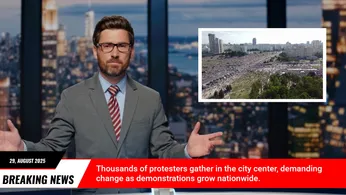
The "Forest Fire News Alert" template is designed for businesses and media outlets that need to deliver urgent breaking news with a powerful visual impact. While the current example features a forest fire, this template is highly versatile and can be adapted for any critical announcement, environmental update, or breaking story. Its bold design and clear layout ensure that your message stands out and captures immediate attention. This template is perfect for conveying the gravity of a situation and prompting quick action or awareness from your audience. Easily customizable, it allows you to quickly change text, images, and branding to suit your specific news event, making it an indispensable tool for timely and effective communication.


Common questions
How do I change the text and media without editing the JSON?
Use the 11 merge fields listed above. Send a merge array with your own values for each field and the API swaps them in at render time, so one template can produce thousands of unique videos.
Can I render this in full HD or 4K for YouTube?
Yes. This template renders 1920×1080 by default. Set output.resolution to "1080" or output.size to a larger 16:9 size in the JSON; the layout scales with it.
Can I swap the footage for my own video?
Yes. Replace the video asset's src with a public URL of your file (MP4 works best). Use trim and length on the clip to pick the part you want, and the template's effects apply to your footage.
How do I change the text and fonts?
Edit the text on each text asset in the JSON. Fonts come from the timeline fonts list or the asset's font family; add your own font file URL to timeline.fonts to use a brand typeface.