HyperFrames alternative
HyperFrames vs Shotstack
HyperFrames turns HTML into a video you render yourself. Shotstack renders the same HTML with footage, AI voice and your data, from one API call. No render servers, no second account.
Start for free
HyperFrames turns HTML into a video you render yourself. Shotstack renders the same HTML with footage, AI voice and your data, from one API call. No render servers, no second account.
Start for freeOver 20,000 Businesses & Developers from 119 Countries Trust Shotstack






HyperFrames is an open-source framework from HeyGen. You write the whole video as HTML, then render it with Chrome and FFmpeg on your own machines, or upload the project to HeyGen's cloud with a HeyGen account.
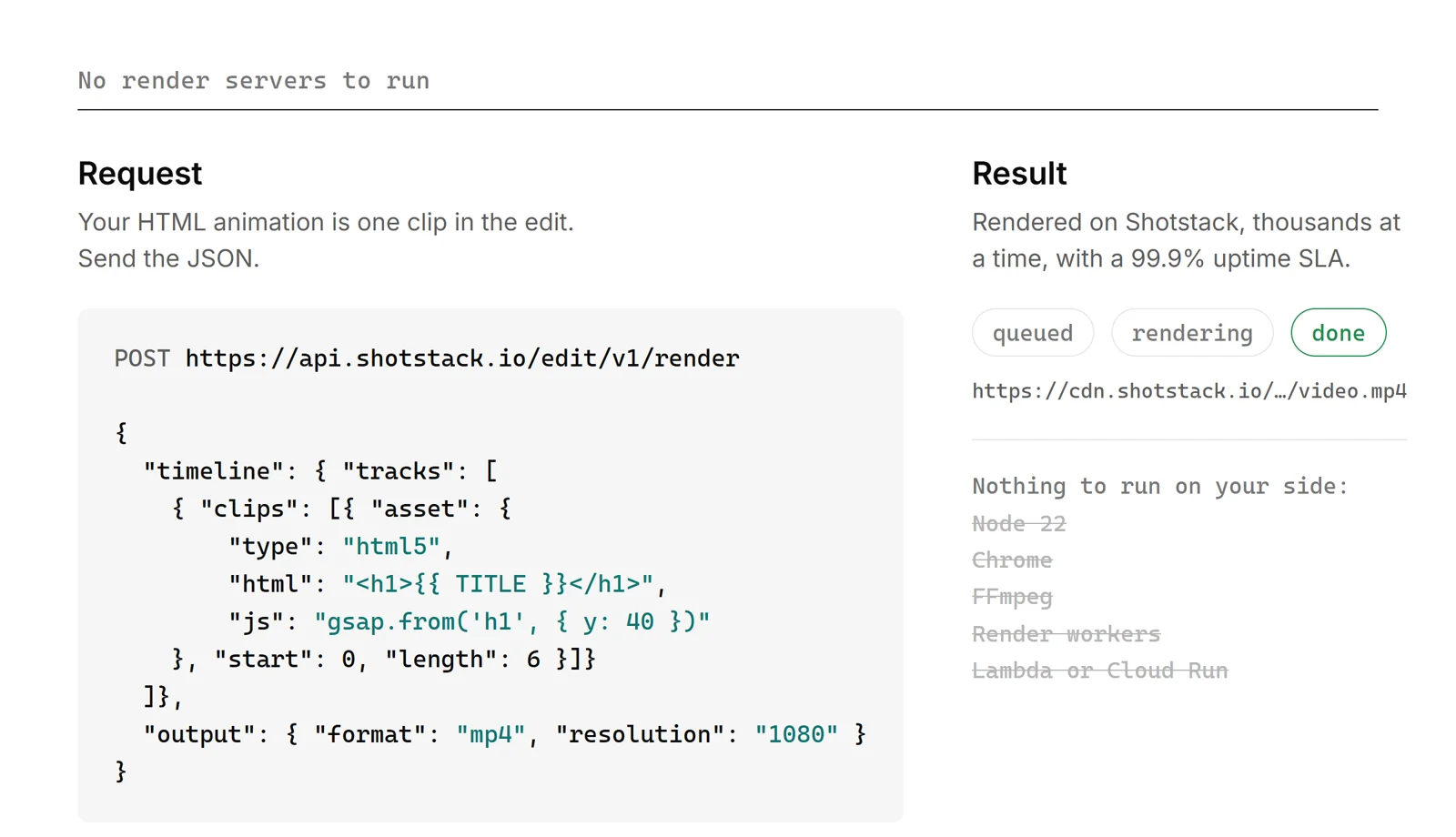
Shotstack is a hosted video API. Your HTML animation is one clip in the edit. Footage, AI video, voice, captions and your data render around it, thousands at a time, and the file lands in your storage.
Both videos use the same four-line script about why birds fly in a V, and the same HTML and GSAP animation.
The design system in HTML and GSAP, rendered with the HyperFrames CLI.
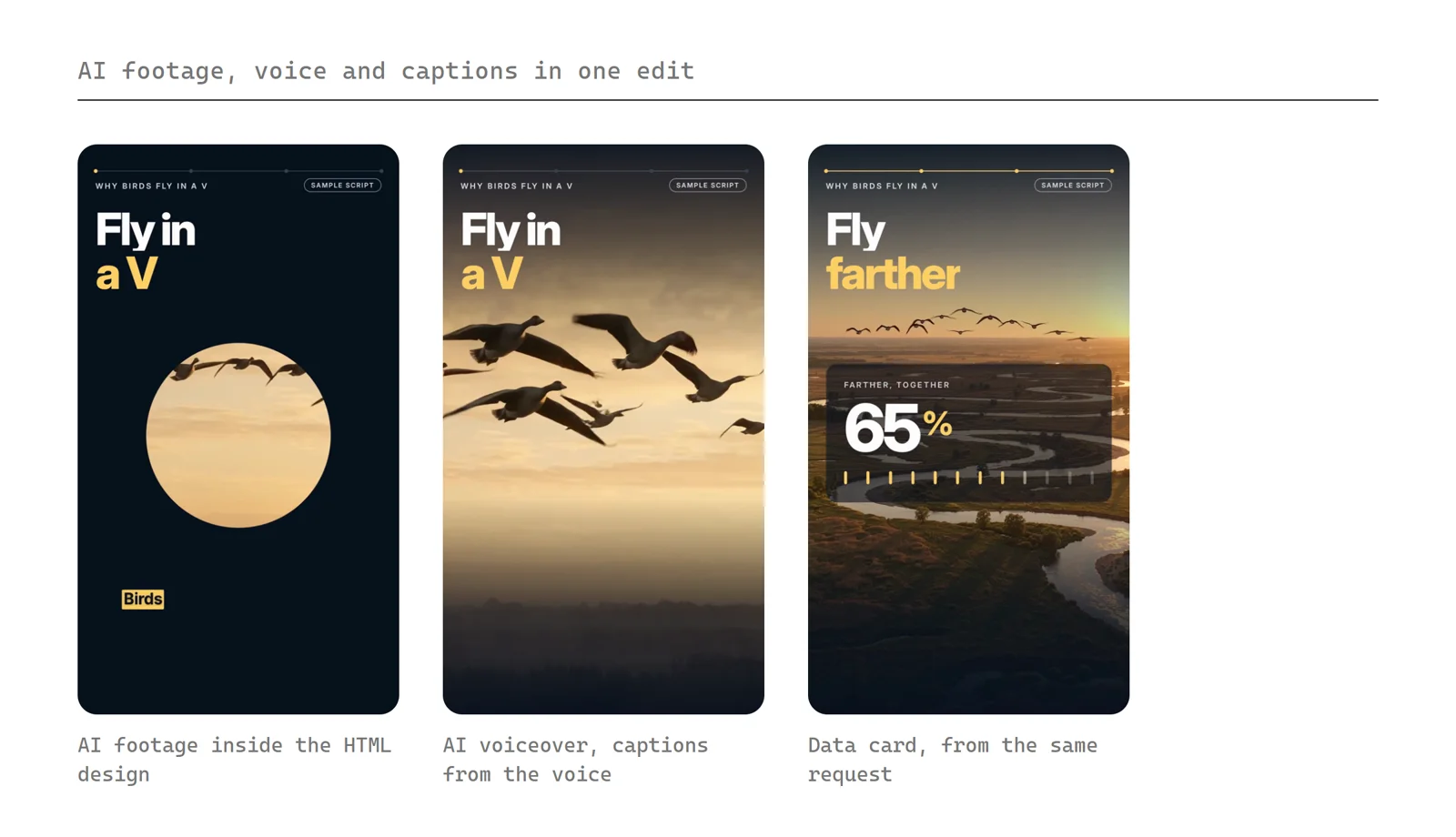
The same HTML, with AI footage inside every window, an AI voiceover, captions from the voice and AI music, in one request. Change the script and it renders again.
Checked on 13 October 2026 and may change. Sources: Shotstack pricing, HyperFrames docs, HeyGen cloud render docs.
| Feature | Shotstack | HyperFrames |
|---|---|---|
| Hosted rendering | Every plan | HeyGen cloud, with a HeyGen account |
| Render servers to run | None | Yours, or HeyGen’s |
| Longest video | 3 hours on every plan | Not published |
| Concurrent renders | Thousands, on every plan | Your own cloud capacity |
| Uptime SLA | 99.9% on every plan | Not published |
| HTML and GSAP animation | As a clip in the edit | The whole video is HTML |
| Media from a URL | Any public URL | Self-run. HeyGen cloud: packed into a 200 MB upload |
| AI-generated video clips | Seedance, Wan, Gemini Omni Flash and more | No video model |
| AI voice and captions | 32 languages, captions made automatically | HeyGen, ElevenLabs or a local model for voice, captions by skill |
| One video per row | Template plus your data | Template variables |
| No-code automation | n8n, Make and Zapier | CLI, Node or API |
| AI agents (MCP) | Hosted, any MCP client | Hosted, for Claude, ChatGPT and Grok (beta) |
| Embeddable video editor | White-label SDK | Open-source Studio |
| Delivery | S3, Google Cloud, Azure, Google Drive, Vimeo or our CDN | File download, or your own bucket when you run the workers yourself |
| Pricing | 10 free minutes, then from US$10 pay as you go or US$39 a month | Free to run yourself. HeyGen cloud billed per minute |
A render farm you run is a render farm you fix at 2 a.m. A missing video model means buying clips somewhere else. Shotstack takes those jobs, so you build video around your product, not around your render pipeline.
HyperFrames renders on your machine, in your own Lambda or Cloud Run account, or on HeyGen's cloud. Someone keeps that running and scales it for a launch.
Shotstack renders thousands of videos at once on every plan, with a 99.9% uptime SLA. Your code sends JSON and gets a URL back.
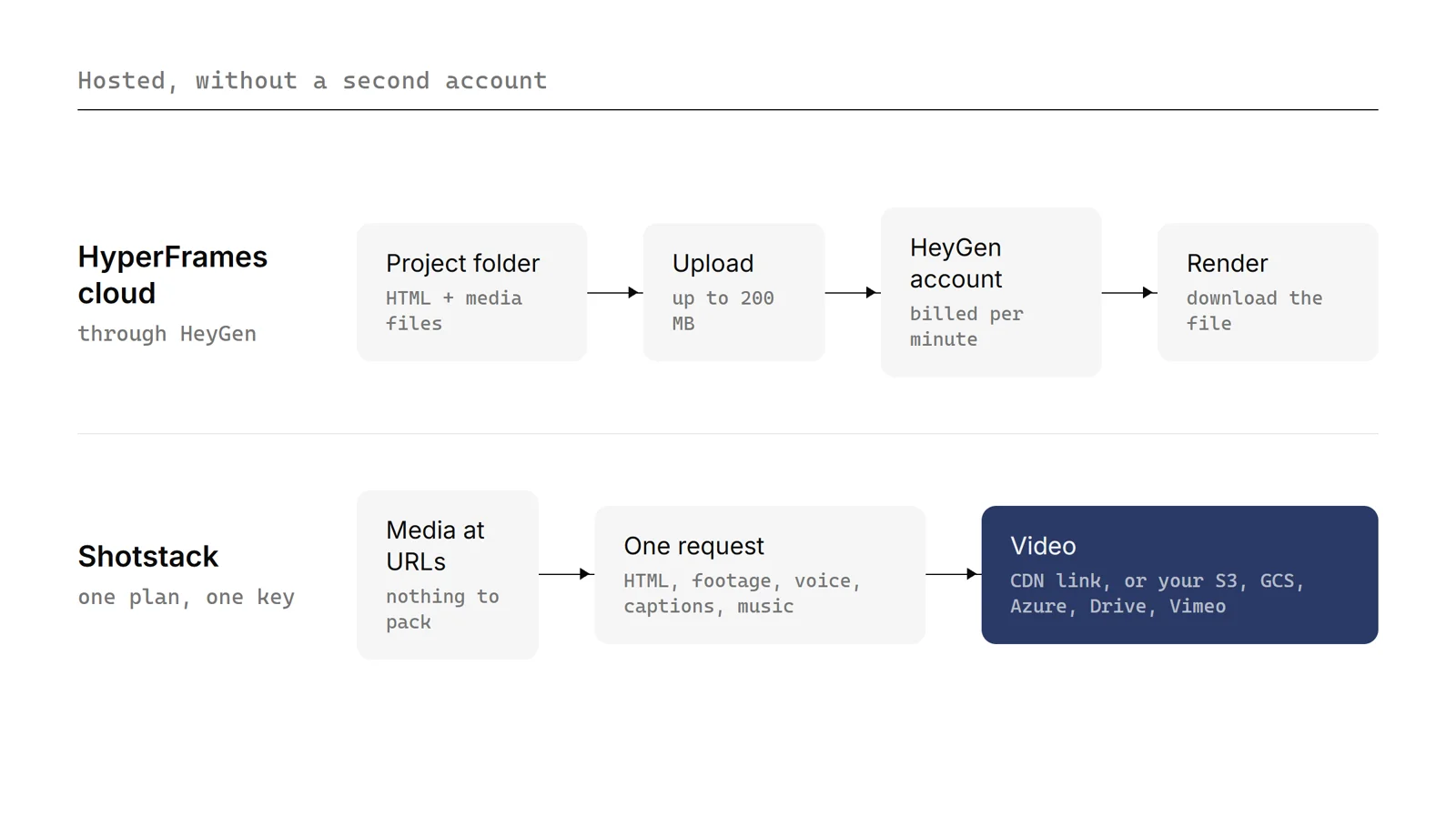
HyperFrames' hosted render and MCP server go through HeyGen: another account, a project upload of up to 200 MB, and billing per minute.
Shotstack is hosted from your first request. Media comes from any URL or the Ingest API, and one plan covers rendering, AI generation, hosting and delivery.
HyperFrames has no video generation model, so AI clips come from another tool before the render.
Shotstack generates video, images, voiceovers in 32 languages and music in the same render as your HTML animation, and captions the voice automatically.
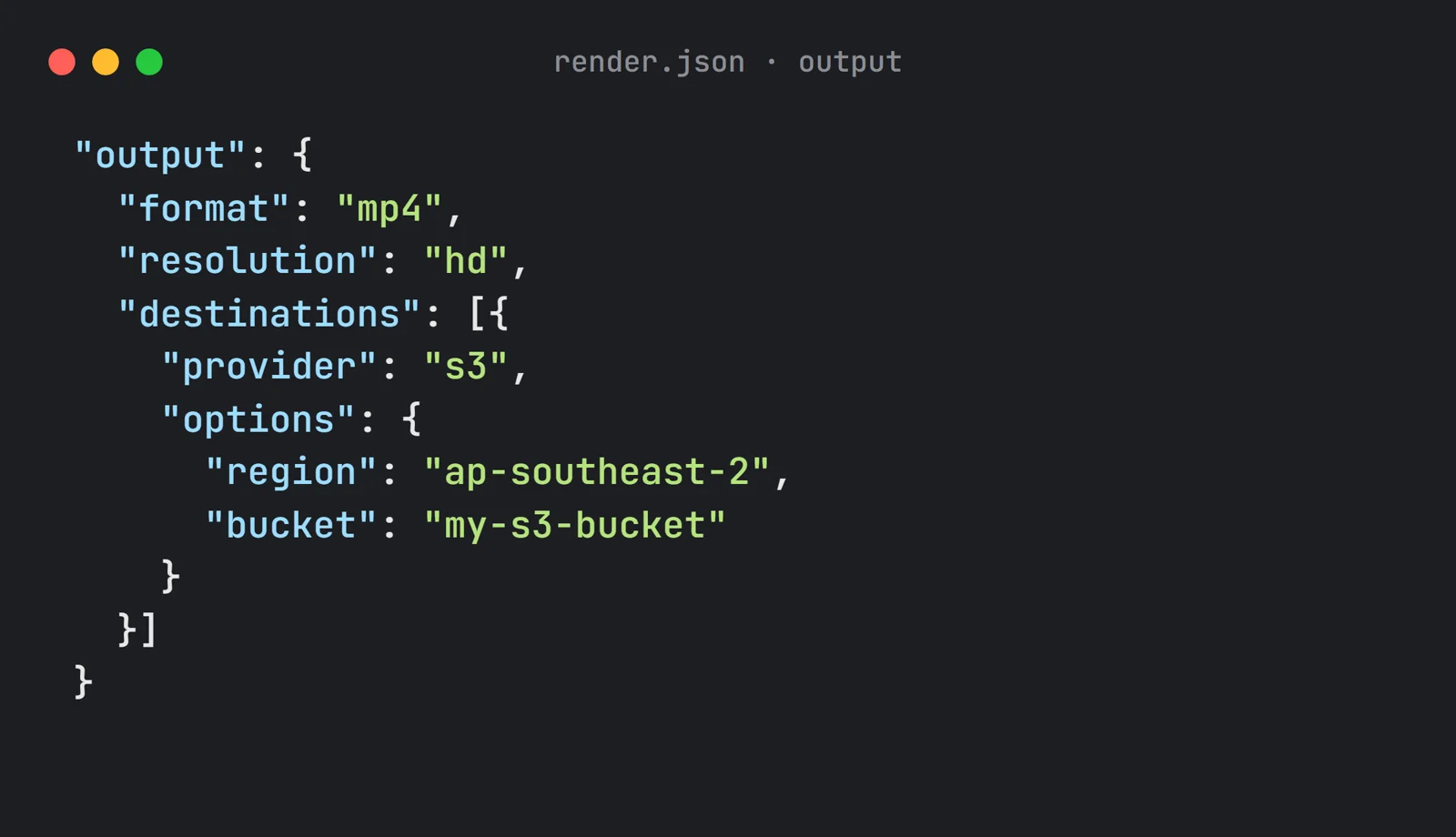
HyperFrames renders from its CLI, Node, the HeyGen API or its MCP server. You get a file to download, or your own bucket when you run the workers yourself.
Shotstack also renders from the official n8n node, Make, Zapier and a hosted MCP server, then sends the video to S3, Google Cloud, Azure, Google Drive or Vimeo. See delivery options.

This application is the perfect example of a well executed and documented API. In less than 10 mins, set up, web hook done, and first render!
There are a couple of other options out there that attempt to provide the same or similar solution, but none of them come close in terms of quality, ease of use, and speed.
Shotstack was EXACTLY what I was looking for, and incredibly easy to get started with. You guys are killing it.
Move the animation. Put your HTML, CSS and GSAP into an HTML clip. Timing attributes become the clip's start and length. Your AI assistant can do it with the hosted MCP server or the docs.
Add the rest. Footage from a URL, an AI voiceover, captions and music go on the tracks around it.
Render one real video, then save it as a template and fill it from your data.

Unlimited developer sandbox
No credit card required