
Studio templates · News
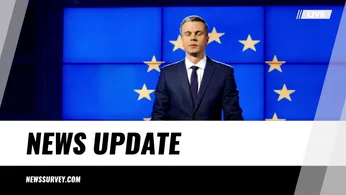
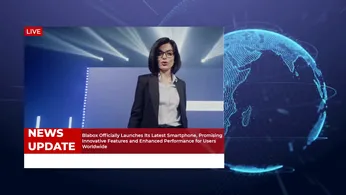
Elegant News Template: Breaking Local & Global Headlines
A professionally designed news template.
No account needed until you render.
What you can change
- HEADING
- City Gripped by Crime Surge
- SUBHEADING
- Government vows tougher security measures to restore safety.
- BULLETIN
- NEWS UPDATE
- VIDEO
- https://templates.shotstack.io/news-update-template-broadcast-breaking-news-live/9d899be9-185f-4ead-afce-0cfc1c946eea/source.mp4
- FONT_COLOR_1
- #e1dbd7
- FONT_COLOR_2
- #008000
Output
- Format
- MP4
- Size
- 1920 × 1080
- Length
- 15 s
- Frame rate
- 25 fps
Make one for every story
Trigger a render from your CMS or RSS feed and each story ships with its own video. Give your AI agent the prompt, or run the script against a CSV.
The "News & Updates Template" is your ultimate solution for effectively communicating timely information to your audience. Designed for businesses, organizations, and individuals, this template empowers you to share breaking news, significant company updates, and crucial announcements with clarity and impact. Its sleek and modern design ensures your content is presented professionally, capturing attention and encouraging engagement. This template is fully customizable, allowing you to tailor every element to match your brand's aesthetic and messaging. From adjusting color schemes and fonts to incorporating your logo and imagery, the flexibility ensures a seamless brand experience. Whether you're announcing a new product launch, sharing quarterly results, detailing an upcoming event, or simply keeping your audience informed about industry trends, this template provides the perfect framework. Its user-friendly interface means you can effortlessly update content, making it ideal for fast-paced news cycles or ongoing communication strategies. With dedicated sections for headlines, detailed articles, and calls to action, you can guide your audience through the information effectively. The "News & Updates Template" is not just a template; it's a powerful tool to enhance your communication strategy, build trust, and keep your audience consistently engaged and well-informed.

Common questions
How do I change the text and media without editing the JSON?
Use the 6 merge fields listed above. Send a merge array with your own values for each field and the API swaps them in at render time, so one template can produce thousands of unique videos.
Can I render this in full HD or 4K for YouTube?
Yes. This template renders 1920×1080 by default. Set output.resolution to "1080" or output.size to a larger 16:9 size in the JSON; the layout scales with it.
Can I swap the footage for my own video?
Yes. Replace the video asset's src with a public URL of your file (MP4 works best). Use trim and length on the clip to pick the part you want, and the template's effects apply to your footage.
How do I change the text and fonts?
Edit the text on each rich-text asset in the JSON. Fonts come from the timeline fonts list or the asset's font family; add your own font file URL to timeline.fonts to use a brand typeface.