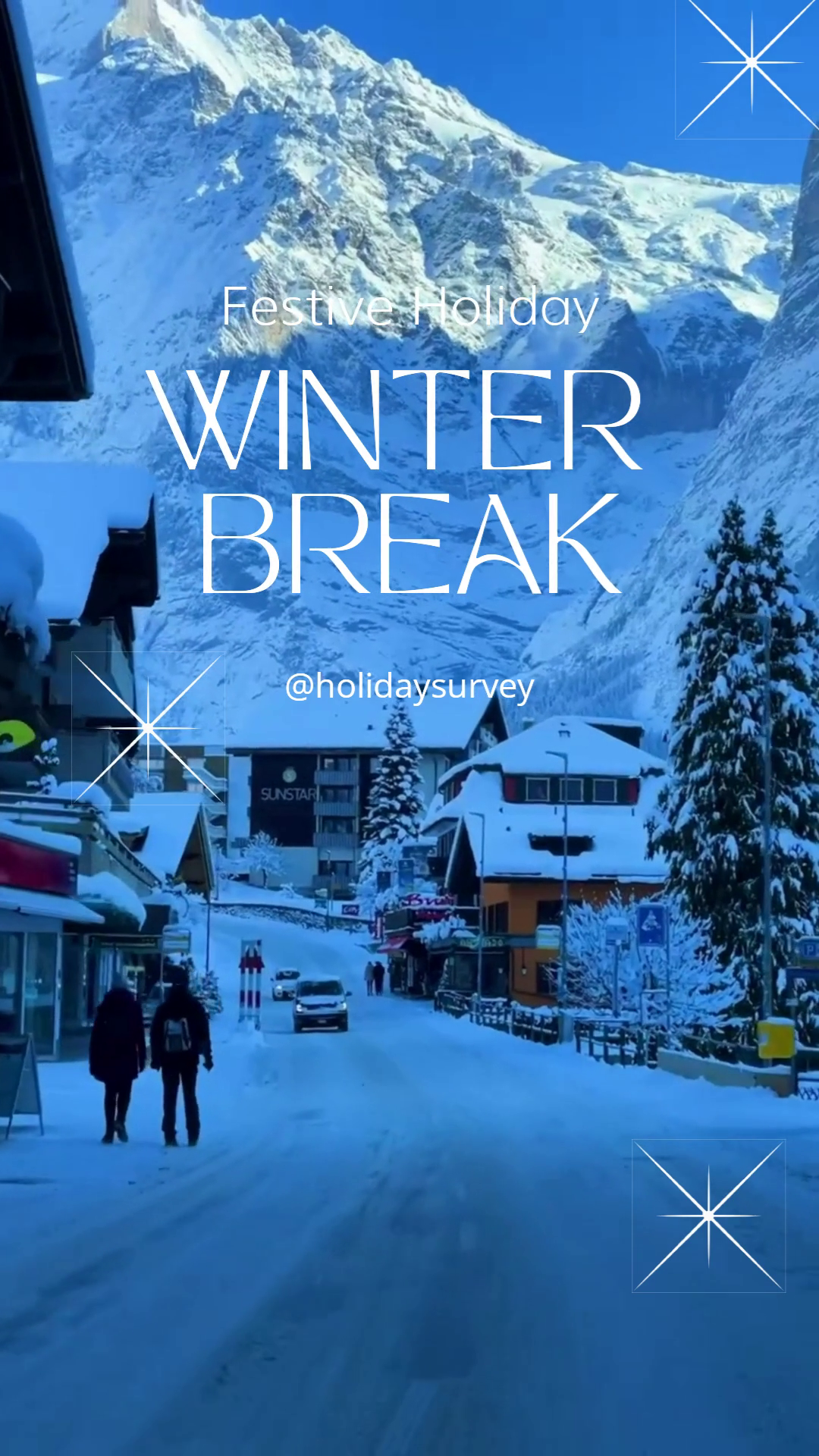
{
"timeline": {
"fonts": [
{
"src": "https://templates.shotstack.io/festive-bash-holiday-party-invitation-template/0281ae2e-b30f-4dda-bcd6-e2f01ec6ff6e/source.otf"
},
{
"src": "https://templates.shotstack.io/festive-bash-holiday-party-invitation-template/47745050-ee9b-4448-8b56-fa031537ce6e/source.ttf"
}
],
"background": "#FFFFFF",
"tracks": [
{
"clips": [
{
"asset": {
"type": "text",
"text": "{{Date}}",
"alignment": {
"horizontal": "center",
"vertical": "center"
},
"font": {
"color": "{{ FONT_COLOR }}",
"family": "HolidayFree",
"size": "79",
"lineHeight": 1
},
"width": 900,
"height": 150
},
"start": 1.4,
"length": "end",
"offset": {
"x": 0,
"y": -0.429
},
"position": "center",
"transition": {
"in": "slideLeft"
}
}
]
},
{
"clips": [
{
"asset": {
"type": "text",
"text": "{{Subtitle}}",
"alignment": {
"horizontal": "center",
"vertical": "center"
},
"font": {
"color": "{{ FONT_COLOR }}",
"family": "Montserrat SemiBold",
"size": "36",
"lineHeight": 1
},
"width": 900,
"height": 150
},
"start": 1.2,
"length": "end",
"offset": {
"x": 0,
"y": -0.364
},
"position": "center",
"transition": {
"in": "slideUp"
}
}
]
},
{
"clips": [
{
"length": "end",
"asset": {
"type": "image",
"src": "{{ Element_1 }}"
},
"start": 1,
"scale": 0.08,
"offset": {
"x": -0.01,
"y": -0.291
},
"position": "center",
"transition": {
"in": "slideUp"
}
}
]
},
{
"clips": [
{
"length": "end",
"asset": {
"type": "image",
"src": "{{ BACKGROUND_IMAGE }}"
},
"start": 0.8,
"scale": 0.45,
"offset": {
"x": 0,
"y": -0.018
},
"position": "center",
"transition": {
"in": "slideUp"
}
},
{
"asset": {
"type": "luma",
"src": "https://templates.shotstack.io/festive-bash-holiday-party-invitation-template/0fc30b9c-2ad1-4312-be4d-d6e16cff5bd7/source.png"
},
"start": 0,
"length": "end"
}
]
},
{
"clips": [
{
"length": "end",
"asset": {
"type": "image",
"src": "{{ Element_2 }}"
},
"start": 0.2,
"scale": 0.06,
"offset": {
"x": 0,
"y": 0.459
},
"position": "center"
}
]
},
{
"clips": [
{
"asset": {
"type": "text",
"text": "{{Title_2}}",
"alignment": {
"horizontal": "center",
"vertical": "center"
},
"font": {
"color": "{{ FONT_COLOR }}",
"family": "HolidayFree",
"size": "150",
"lineHeight": 1
},
"width": 700,
"height": 250
},
"start": 0.6,
"length": "end",
"offset": {
"x": 0.112,
"y": 0.25
},
"position": "center",
"transition": {
"in": "slideDown"
}
}
]
},
{
"clips": [
{
"asset": {
"type": "text",
"text": "{{Title_1}}",
"alignment": {
"horizontal": "center",
"vertical": "center"
},
"font": {
"color": "{{ FONT_COLOR }}",
"family": "HolidayFree",
"size": "150",
"lineHeight": 1
},
"width": 700,
"height": 250
},
"start": 0.4,
"length": "end",
"offset": {
"x": -0.139,
"y": 0.331
},
"position": "center",
"transition": {
"in": "slideRight"
}
}
]
},
{
"clips": [
{
"asset": {
"type": "text",
"text": "",
"alignment": {
"horizontal": "center",
"vertical": "center"
},
"font": {
"color": "#000000",
"family": "Montserrat SemiBold",
"size": 24,
"lineHeight": 1
},
"width": 1080,
"height": 1920,
"background": {
"color": "{{ BACKGROUND_COLOR }}",
"opacity": 0.63
}
},
"start": 0,
"length": "end",
"position": "center"
}
]
},
{
"clips": [
{
"length": 8,
"asset": {
"type": "image",
"src": "{{ BACKGROUND_IMAGE }}"
},
"start": 0,
"position": "center"
}
]
}
]
},
"output": {
"format": "mp4",
"fps": 25,
"size": {
"width": 1080,
"height": 1920
}
},
"merge": [
{
"find": "Title_1",
"replace": "Festive"
},
{
"find": "Title_2",
"replace": " Bash"
},
{
"find": "Subtitle",
"replace": "The season’s cheer awaits! Let’s party the holiday way."
},
{
"find": "Date",
"replace": "8 pm | 24th Dec."
},
{
"find": "IMAGE",
"replace": "https://templates.shotstack.io/festive-bash-holiday-party-invitation-template/0b9fc8dc-93b2-4843-b9cc-429d8c648482/source.jpg"
},
{
"find": "Element_1",
"replace": "https://templates.shotstack.io/festive-bash-holiday-party-invitation-template/c8b5cc1c-2588-4394-8733-4232c8bd61d2/source.png"
},
{
"find": "Element_2",
"replace": "https://templates.shotstack.io/festive-bash-holiday-party-invitation-template/f9a84711-9a7b-4991-808d-458fb9b3de38/source.png"
},
{
"find": "FONT_COLOR",
"replace": "#38932f"
},
{
"find": "BACKGROUND_COLOR",
"replace": "#ece4bd"
},
{
"find": "BACKGROUND_IMAGE",
"replace": "https://templates.shotstack.io/festive-bash-holiday-party-invitation-template/22ae1da1-2f21-452e-b840-7f330edb9c07/source.jpg"
}
]
}Set the perfect tone for your holiday gathering with our "Festive Bash" invitation template. Designed for businesses, organisations, or individuals hosting a seasonal event, this template is the ideal tool to create excitement and gather your guests. Its vibrant and celebratory design captures the spirit of the holidays, making it perfect for Christmas parties, corporate year-end functions, or festive get-togethers. This user-friendly template allows for easy customisation. You can quickly update the event details, change the photo to match your occasion, and adjust the text to convey your unique message. The layout is clean and effective, ensuring all essential information is presented clearly. Use this template to send out polished, professional-looking invitations that will make your event the talk of the season and encourage a great turnout.
No account needed until you render.
Render with your AI assistant
Add the Shotstack MCP server to your editor, then paste the prompt
| Output | MP4 |
|---|---|
| Size | 1080 × 1920 (9:16) |
| Length | 8s |
| Frame rate | 25 fps |
| Tracks / clips | 9 / 10 |
| Assets used | 4 image, 1 luma, 5 text |
| Soundtrack | no |
| Merge fields | 10 |
Send a merge array with your values for these fields:
| Field | Default value |
|---|---|
{{ Title_1 }} | Festive |
{{ Title_2 }} | Bash |
{{ Subtitle }} | The season’s cheer awaits! Let’s party the holiday way. |
{{ Date }} | 8 pm | 24th Dec. |
{{ IMAGE }} | https://templates.shotstack.io/festive-bash-holiday-party-invitation-template/0b9fc8dc-93b2-4843-b9cc-429d8c648482/source.jpg |
{{ Element_1 }} | https://templates.shotstack.io/festive-bash-holiday-party-invitation-template/c8b5cc1c-2588-4394-8733-4232c8bd61d2/source.png |
{{ Element_2 }} | https://templates.shotstack.io/festive-bash-holiday-party-invitation-template/f9a84711-9a7b-4991-808d-458fb9b3de38/source.png |
{{ FONT_COLOR }} | #38932f |
{{ BACKGROUND_COLOR }} | #ece4bd |
{{ BACKGROUND_IMAGE }} | https://templates.shotstack.io/festive-bash-holiday-party-invitation-template/22ae1da1-2f21-452e-b840-7f330edb9c07/source.jpg |
Save the JSON above as template.json, then render in the free sandbox:
# Save the JSON above as template.json, then:
curl -X POST https://api.shotstack.io/edit/stage/render \
  -H "x-api-key: $SHOTSTACK_API_KEY" \
  -H "Content-Type: application/json" \
  -d @template.json

# Poll until status is "done", then download response.url
curl https://api.shotstack.io/edit/stage/render/RENDER_ID -H "x-api-key: $SHOTSTACK_API_KEY"import { readFileSync } from 'node:fs';
const headers = { 'x-api-key': process.env.SHOTSTACK_API_KEY, 'Content-Type': 'application/json' };
const edit = JSON.parse(readFileSync('template.json', 'utf8'));
const { response } = await fetch('https://api.shotstack.io/edit/stage/render', {
method: 'POST', headers, body: JSON.stringify(edit)
}).then((r) => r.json());
let render;
do {
await new Promise((r) => setTimeout(r, 3000));
render = (await fetch(`https://api.shotstack.io/edit/stage/render/${response.id}`, { headers }).then((r) => r.json())).response;
} while (!['done', 'failed'].includes(render.status));
console.log(render.status, render.url);import json, os, time, requests
headers = {"x-api-key": os.environ["SHOTSTACK_API_KEY"]}
with open("template.json") as f:
edit = json.load(f)
render_id = requests.post("https://api.shotstack.io/edit/stage/render", json=edit, headers=headers).json()["response"]["id"]
while True:
render = requests.get(f"https://api.shotstack.io/edit/stage/render/{render_id}", headers=headers).json()["response"]
if render["status"] in ("done", "failed"):
break
time.sleep(3)
print(render["status"], render.get("url"))npm install -g @shotstack/cli
export SHOTSTACK_API_KEY=your_sandbox_key
shotstack validate template.json # offline schema check, free
shotstack render template.json --env stage --watchSandbox renders are free and watermarked. Production: the v1 endpoint and key. SDKs
Merge each recipient’s name and details to send everyone their own version.
Paste into Claude, ChatGPT or Cursor — your AI assistant builds the workflow around your data.
Node.js, one render per CSV row, wired to this template's 10 merge fields. Setup steps in the header.
Guides: Bulk-create from a CSV · Webhooks · Templates endpoint · Render your first video
AI assistants: Markdown () · · · CLI skill: SKILL.md () · MCP server
Use the 10 merge fields listed above. Send a merge array with your own values for each field and the API swaps them in at render time, so one template can produce thousands of unique videos.
Yes. It renders vertical 1080×1920 (9:16), the format those platforms expect. Change output.size or output.aspectRatio in the JSON if you also need a square or landscape cut.
Yes. The template uses 4 images; replace each image asset's src with a public URL of your own file (JPG, PNG or WebP). Keep the timing and effects, or adjust them per clip.
Edit the text on each text asset in the JSON. Fonts come from the timeline fonts list or the asset's font family; add your own font file URL to timeline.fonts to use a brand typeface.