Contents
 Claude
  ChatGPT
  Perplexity
  Google AI
 Contents
Most broken FFmpeg pipelines come from one confusion. The container (MP4, WebM, MOV), the compression standard (H.264, HEVC, VP9, AV1) and the encoder library (libx264, libx265, libvpx-vp9, libsvtav1) are three different things, and FFmpeg codecs are named after the third.
This reference maps them to each other. It gives the exact flags for each encoder, shows which codec fits which container, and ends with a Python script that inspects a file and decides whether to remux or transcode.
H.264 is still the workhorse. 79% of respondents in Bitmovin’s 2025 Video Developer Report use it, HEVC follows at 49%, and AV1 leads planned adoption while trailing in deployment. That gap is the reason the flags below matter.
TL;DR
- A
.mp4extension says nothing about compression. Check the stream withffprobebefore you decide anything. libx264for universal playback,libx265for 4K and HDR,libvpx-vp9for WebM,libsvtav1for AV1,prores_ksfor editing masters.- WebM accepts only VP8, VP9 or AV1 video with Vorbis or Opus audio. H.264 or AAC in a
.webmfails. - For HEVC in MP4 on Apple devices, add
-tag:v hvc1. For VP9 constant quality, add-b:v 0. - Add
-pix_fmt yuv420pand-movflags +faststartto any MP4 meant for browsers. - If the streams already fit the target container, remux with
-c copyinstead of re-encoding.
Codecs, containers and encoders: three different things
- Container format (MP4, WebM, MOV): the file wrapper, or muxer. It packages one or more compressed video streams, audio tracks, subtitles and metadata into a single synchronized file. A
.mp4file does not define how pixels are compressed, only how streams are stored. - Compression standard (H.264, HEVC, VP9, AV1): the formal specification, from the ITU-T, ISO/IEC or AOMedia, that defines how video data is compressed and decompressed.
- Encoder implementation (
libx264,libx265,libvpx-vp9,libsvtav1): the software library compiled into FFmpeg that turns raw frames into a bitstream matching the standard.
Global and private codec options in libavcodec
FFmpeg routes media through its encoding and decoding engine, libavcodec. As the FFmpeg codecs documentation explains, libavcodec splits parameters into two tiers:
- Generic global options: flags supported across all handlers, such as bitrate targets (
-b:v,-b:a), stream selection (-c:v,-c:a) and thread allocation (-threads). - Private options: flags unique to one encoder. Options like
-preset,-tuneand-crfbehave differently, or do not exist at all, depending on whether you invokelibx264,libvpx-vp9or a hardware wrapper.
Inspect your local FFmpeg build
FFmpeg binaries are compiled with optional external dependencies, so available encoders vary between systems. Check yours from the command line:
# List all codecs recognized by libavcodec (marked D for decoding, E for encoding)
ffmpeg -codecs

# Filter to view only available encoders compiled into your build
ffmpeg -encoders

# View private configuration options for a specific encoder
ffmpeg -h encoder=libx264
If you need a refresher on stream mapping or base command structure, see our guide on how to use FFmpeg.
Standard-to-encoder reference
| Standard | Common name | FFmpeg encoder | Primary containers |
|---|---|---|---|
| ITU-T H.264 / ISO AVC | AVC | libx264 | MP4, MOV, MKV |
| ITU-T H.265 / ISO HEVC | HEVC | libx265 | MP4, MOV, MKV |
| Google VP9 | VP9 | libvpx-vp9 | WebM, MKV |
| AOMedia AV1 | AV1 | libsvtav1 (production), libaom-av1 | MP4, WebM, MKV |
Container compatibility: MP4, WebM and MOV
Not every codec fits inside every container. The extension sets the boundary for which video and audio streams the muxer will accept.
According to the WebM Project FAQ, WebM is a deliberately restricted subset of Matroska (.mkv) designed for web streaming. It allows only VP8, VP9 or AV1 video and only Vorbis or Opus audio. Muxing H.264 or AAC into a .webm container breaks the spec and causes muxing or playback failures.
QuickTime MOV and MP4 accept a wider range of codecs, but production workflows split them. MOV is the standard envelope for editing intermediates like Apple ProRes. The FFmpeg VFX wiki notes that prores_ks is the production-standard encoder and the only internal FFmpeg encoder that writes the ProRes 4444 profile with an alpha channel. MP4 is the consumer distribution format, pairing H.264, H.265 or AV1 with AAC.
Codec and container compatibility reference
| Codec | Category | MP4 (.mp4) | WebM (.webm) | QuickTime (.mov) |
|---|---|---|---|---|
H.264 (libx264) | Video | Native, universal | Unsupported | Native |
H.265 / HEVC (libx265) | Video | Native (needs hvc1 tag for Apple) | Unsupported | Native |
VP9 (libvpx-vp9) | Video | Supported (Chrome, Edge, Android), no Safari playback | Native | Limited |
AV1 (libsvtav1) | Video | Supported (ISO/IEC 14496-12) | Native | Supported |
ProRes (prores_ks) | Video | Unsupported | Unsupported | Native (ProRes 422 / 4444) |
AAC (aac) | Audio | Native, universal | Unsupported | Native |
Opus (libopus) | Audio | Experimental in FFmpeg’s MP4 muxer | Native | Limited |
Vorbis (libvorbis) | Audio | Non-standard | Native | Non-standard |
MP3 (libmp3lame) | Audio | Native | Unsupported | Native |
PCM (pcm_s16le) | Audio | Restricted | Unsupported | Native (standard for master MOV) |
Remux or transcode
When you move media from one container to another, you do not always need to re-encode. If the target container supports the existing streams, remux losslessly with -c copy and skip the CPU-heavy compression step:
# Lossless remux from MOV to MP4 (when streams are already H.264 and AAC)
ffmpeg -i input.mov -c copy output.mp4
Converting a WebM file (VP9 video, Opus audio) into an MP4 for Apple and legacy devices is the opposite case. Stream copying will fail or produce an unplayable MP4, because standard MP4 decoders expect H.264 or H.265 with AAC. You must decode and re-encode both tracks. For the full conversion, see our guide on converting WebM to MP4.
Video codecs and FFmpeg encoders compared
Choosing a video codec means balancing compression efficiency, CPU cost and the decoders on your target devices. In FFmpeg, each standard maps to a dedicated library with its own private flags and rate-control quirks.
Decoder availability is the deciding factor for web delivery. Per caniuse data for September 2026, AV1 decoding is fully available in 79% of browsers in use and partially in another 17%. HEVC is fully supported in only 20%, with 75% partial support that depends on the device’s hardware. H.264 plays everywhere.
Video codec matrix
| Standard | FFmpeg encoder | Default CRF | Useful range | Primary container | Best for |
|---|---|---|---|---|---|
| H.264 | libx264 | 23 | 17 to 28 | MP4, MOV | Universal playback across web, legacy and mobile devices |
| H.265 / HEVC | libx265 | 28 | 20 to 30 | MP4, MOV | 4K and HDR delivery, bandwidth-constrained mobile feeds |
| VP9 | libvpx-vp9 | None set (use -crf with -b:v 0) | 15 to 35 | WebM | Royalty-free browser streaming and YouTube distribution |
| AV1 | libsvtav1 | 35 | 20 to 40 | MP4, WebM | Next-generation web distribution with maximum compression |
| Apple ProRes | prores_ks | Profile-based | N/A | MOV | Editing intermediates, mezzanine archives and alpha channels |
CRF values are tied to each encoder’s own math, so they do not translate one-to-one between libraries. For how quantization differs between encoders, see our guide to understanding FFmpeg CRF.
H.264: libx264
libx264 remains the default choice for general distribution because hardware decoders for AVC exist on nearly every consumer device made in the last fifteen years.
- Rate control: the CRF scale runs from 0 (lossless for 8-bit) to 51 (worst quality), with 23 as the default. A sane range for web delivery is 17 to 28. A change of 6 roughly halves or doubles the bitrate.
- Essential playback flags: by default
libx264may keep the source’s pixel format, such as 10-bit or 4:4:4 chroma, which older mobile decoders and browsers cannot play. Always pass-pix_fmt yuv420pfor broad support. Pair it with-movflags +faststartto move themoovatom to the start of the file so web players can begin playback before the download finishes.
ffmpeg -i input.mov -c:v libx264 -crf 23 -preset slow \
  -pix_fmt yuv420p -movflags +faststart output.mp4
H.265 / HEVC: libx265
libx265 delivers roughly 25% to 50% bitrate savings over libx264 at similar visual quality. Its default CRF of 28 looks about like libx264 at CRF 23 while cutting file size roughly in half.
- The Apple playback gotcha: when muxing HEVC into MP4, FFmpeg writes the FourCC tag
hev1by default. QuickTime Player and AVFoundation on macOS and iOS rejecthev1and either error out or play audio over a black screen. Override the tag with-tag:v hvc1.
ffmpeg -i input.mov -c:v libx265 -crf 28 -preset medium \
  -tag:v hvc1 -pix_fmt yuv420p -movflags +faststart output.mp4
VP9: libvpx-vp9
libvpx-vp9 is Google’s open standard for WebM streaming. It matches or beats H.264 efficiency without licensing fees.
- The constant quality gotcha: in
libvpx-vp9, setting-crfalone does not enable constant quality mode. If you omit-b:vor give it a non-zero value, the encoder runs in constrained quality mode instead. Set-b:v 0alongside-crffor true constant quality. - Threading flag: use
-row-mt 1to enable row-based multithreading, which addresses VP9’s slow single-core encoding.
ffmpeg -i input.mp4 -c:v libvpx-vp9 -crf 30 -b:v 0 \
  -row-mt 1 -pix_fmt yuv420p output.webm
AV1: libsvtav1
AV1 gives the best compression of the four. The reference encoder libaom-av1 is slow, so production transcoding uses libsvtav1, the SVT-AV1 encoder developed by Intel and Netflix and adopted by AOMedia for multi-threaded encoding.
ffmpeg -i input.mov -c:v libsvtav1 -crf 35 -preset 5 \
  -pix_fmt yuv420p -movflags +faststart output.mp4
Apple ProRes: prores_ks
ProRes is an intra-frame mezzanine format built for editing timelines and VFX handoffs, not web distribution. FFmpeg ships several ProRes implementations, and prores_ks is the production standard. It is also the only internal FFmpeg encoder that supports the ProRes 4444 profile with an embedded alpha channel.
# Render an animation or lower-third overlay with an alpha channel to QuickTime MOV
ffmpeg -framerate 30 -i frame_%04d.png -c:v prores_ks \
  -profile:v 4 -pix_fmt yuva444p10le transparent_overlay.mov
To bring data rates down for distribution after picking an encoder, read our walkthrough on how to compress video with FFmpeg.
Audio codecs in FFmpeg: AAC, Opus, MP3 and PCM
Audio follows the same rule: match the container to a codec that libavcodec can write into it. A mismatch either fails at the muxer or plays silent on the client.
Audio codec reference
| Standard | FFmpeg encoder | Typical bitrate | Supported containers | Primary use |
|---|---|---|---|---|
| AAC | aac | 128k to 192k | MP4, MOV | Web distribution, streaming and mobile |
| Opus | libopus | 96k to 128k | WebM, MKV | Low-latency and low-bitrate web streaming |
| MP3 | libmp3lame | 192k to 320k | MP4, MOV | Legacy fallback and podcast distribution |
| PCM | pcm_s16le | Uncompressed (about 1.4 Mbps) | MOV, WAV | Editing timelines, VFX handoffs and archival masters |
Choosing the audio encoder
- AAC (
aac): the native encoder built into FFmpeg is the standard choice for MP4 and MOV. It needs no external library and plays on iOS, Android, macOS, Windows and every modern browser. - Opus (
libopus): Opus matches or beats AAC at the same or lower bitrates. The WebM specification permits only Vorbis or Opus audio, solibvpx-vp9with-c:a libopusis the standard WebM pairing. - PCM (
pcm_s16le): when exporting ProRes MOV masters withprores_ks, lossy audio adds generational loss on every pass. Uncompressed 16-bit PCM keeps the source audio intact through repeated edits.
Common audio CLI patterns
# Universal MP4 delivery with stereo AAC audio at 192 kbps
ffmpeg -i input.mov -c:v libx264 -c:a aac -b:a 192k output.mp4

# WebM streaming delivery with Opus audio at 128 kbps
ffmpeg -i input.mp4 -c:v libvpx-vp9 -b:v 0 -crf 30 -c:a libopus -b:a 128k output.webm

# Intermediate ProRes master with uncompressed 16-bit PCM audio
ffmpeg -i input.mov -c:v prores_ks -profile:v 3 -c:a pcm_s16le master.mov
Inspect streams and automate transcoding in Python
In an automated pipeline, re-encoding every incoming file wastes CPU and adds generational loss. An ingest step should inspect the streams with ffprobe first, then decide between a lightweight remux (-c copy) and a full transcode.
Query stream metadata with ffprobe
Ask ffprobe for JSON and limit it to the properties you need:
ffprobe -v error -select_streams v:0 \
  -show_entries stream=codec_name,codec_tag_string,pix_fmt \
  -of json input.mp4
The result contains the stream codec, the FourCC container tag and the pixel format (yuv420p or a 10-bit variant).
Python automation wrapper
The script below uses only the standard library. If the file is already H.264 with yuv420p chroma, it remuxes. If it is HEVC tagged hev1, which breaks QuickTime and AVFoundation playback, it rewrites the tag to hvc1 without re-encoding. Anything else is transcoded with libx264 at CRF 23, with stderr captured so encoding errors surface:
import json
import subprocess
from pathlib import Path

def inspect_video_stream(file_path: str) -> dict:
    cmd = [
        "ffprobe",
        "-v", "error",
        "-select_streams", "v:0",
        "-show_entries", "stream=codec_name,codec_tag_string,pix_fmt",
        "-of", "json",
        file_path
    ]
    result = subprocess.run(cmd, capture_output=True, text=True, check=True)
    data = json.loads(result.stdout)
    streams = data.get("streams", [])
    if not streams:
        raise ValueError(f"No video stream found in {file_path}")
    return streams[0]

def normalize_video(input_path: str, output_path: str) -> None:
    meta = inspect_video_stream(input_path)
    codec = meta.get("codec_name")
    tag = meta.get("codec_tag_string")
    pix_fmt = meta.get("pix_fmt")

    # Case 1: Universal H.264 stream -> stream copy (lossless remux)
    if codec == "h264" and pix_fmt == "yuv420p":
        args = ["-c", "copy"]

    # Case 2: HEVC with hev1 tag -> lossless remux with Apple-compatible hvc1 tag
    elif codec == "hevc" and tag != "hvc1":
        args = ["-c", "copy", "-tag:v", "hvc1"]

    # Case 3: Non-compliant codec or pixel format -> transcode with libx264
    else:
        # Combines libavcodec global flags (-pix_fmt) with private options (-crf, -preset)
        args = [
            "-c:v", "libx264",
            "-crf", "23",
            "-preset", "medium",
            "-pix_fmt", "yuv420p",
            "-c:a", "aac",
            "-b:a", "192k"
        ]

    cmd = ["ffmpeg", "-y", "-i", input_path, *args, "-movflags", "+faststart", output_path]
    process = subprocess.run(cmd, capture_output=True, text=True)

    if process.returncode != 0:
        raise RuntimeError(f"FFmpeg failed (exit code {process.returncode}):\n{process.stderr}")
Handling subprocess errors and options
- Separate option scopes:
-pix_fmtand-movflagsare generic options that apply across FFmpeg muxers and encoders, while-crfand-presetare private options oflibx264. - Capture stderr: FFmpeg writes encoding statistics, warnings and errors to
stderr. Inspectprocess.stderrwheneverreturncode != 0to find corrupt frames, missing codecs or invalid profile combinations.
Skip the encoder flags: render MP4 from JSON with the Edit API
Everything above is what you maintain when you run FFmpeg yourself: encoder builds, thread allocation, yuv420p, faststart, hvc1. For an architectural comparison of self-hosted encoding against a hosted API, read our guide on FFmpeg vs a video API.
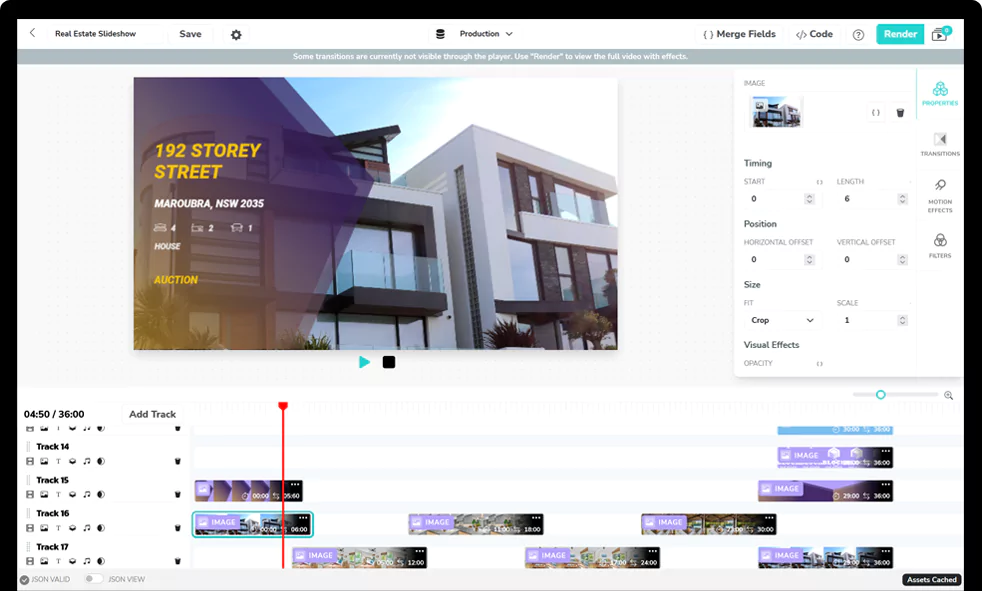
If the job is composing and delivering video rather than tuning encoders, the Shotstack Edit API takes a JSON timeline and returns a playback-ready MP4, GIF, image or MP3. The output settings are three lines:
{
  "output": {
    "format": "mp4",
    "resolution": "1080"
  }
}
Sign up for a free API key and render your first edit on the sandbox without installing anything.
Frequently asked questions (FAQs)
Which FFmpeg codec should I use for web video?
Use libx264 into MP4 with -pix_fmt yuv420p and -movflags +faststart. It plays on every browser and device. Add an AV1 or VP9 WebM version only when bandwidth matters and you can serve both.
What is the difference between hev1 and hvc1?
Both are FourCC tags for HEVC inside MP4. FFmpeg writes hev1 by default, which Apple players reject. Pass -tag:v hvc1 so QuickTime, Safari and iOS play the file. It is a tag change, so it works with -c copy.
Can I put H.264 video in a WebM file?
No. The WebM spec allows only VP8, VP9 or AV1 video with Vorbis or Opus audio. Transcode to libvpx-vp9 or libsvtav1 for WebM, or keep H.264 and use MP4.
Is AV1 ready for production?
For delivery, yes on most devices: AV1 decoding is fully supported in 79% of browsers in use, per caniuse. For encoding, use libsvtav1 rather than libaom-av1, and keep an H.264 fallback for the remaining players.
Get started with Shotstack's video editing API in two steps:
- Sign up for free to get your API key.
- Send an API request to create your video:
curl --request POST 'https://api.shotstack.io/v1/render' \
--header 'x-api-key: YOUR_API_KEY' \
--data-raw '{
  "timeline": {
    "tracks": [
      {
        "clips": [
          {
            "asset": {
              "type": "video",
              "src": "https://shotstack-assets.s3.amazonaws.com/footage/beach-overhead.mp4"
            },
            "start": 0,
            "length": "auto"
          }
        ]
      }
    ]
  },
  "output": {
    "format": "mp4",
    "size": {
      "width": 1280,
      "height": 720
    }
  }
}'

Published October 26, 2026
Derk Zomer is the founder and CEO of Shotstack. He writes about video automation, AI-generated media and building on the Shotstack API. More from Derk
Experience Shotstack for yourself.
- Seamless integration
- Dependable high-volume scaling
- Blazing fast rendering
- Save thousands